> ## Documentation Index
> Fetch the complete documentation index at: https://docs.openreward.ai/llms.txt
> Use this file to discover all available pages before exploring further.
# Training with Miles
> Train language models with reinforcement learning using Miles and OpenReward environments
**Research Preview.** Training is in a research preview, meaning we are gaining feedback before a fully supported release. This means capacity is limited in this trial period, so large-scale runs may be unreliable at this point in time. Please give us feedback on our [Discord](https://discord.gg/openreward).
## Goals
* Set up distributed RL training with Miles
* Configure an OpenReward environment for training
* Monitor training progress with WandB
* Train a model on the WhoDunIt environment
## Prerequisites
* [Miles](https://github.com/radixark/miles) installed locally (`pip install -e /path/to/miles`)
* An OpenReward [account](https://openreward.ai/) and [API key](https://openreward.ai/keys)
* A [WandB](https://wandb.ai/) account and API key
* Python 3.11+
* NVIDIA GPUs (tested on H100/H200)
## Setup
Miles is a fork of [Slime](https://github.com/THUDM/slime) that adds production-grade stability features for RL post-training. It uses SGLang for fast inference and supports FSDP or Megatron backends for distributed training. Key improvements over Slime include:
* **Graceful OOM recovery** — benign OOMs from variable-length multi-turn rollouts are caught and propagated instead of crashing the job
* **True on-policy with FSDP** — zero train-inference mismatch via aligned numerics (FlashAttention-3, DeepGEMM, batch-invariant kernels)
* **FSDP memory fixes** — reduced excessive memory usage, move-based offloading, host peak memory savings
* **Partial rollout & over-sampling** — handles the long-tail effect in multi-turn RL by over-sampling and recycling half-finished trajectories
In this tutorial, we'll use Miles to train a language model on an OpenReward environment using reinforcement learning with GRPO.
First, clone the [OpenReward cookbook repository](https://github.com/OpenRewardAI/openreward-cookbook) and navigate to the Miles training example:
```bash theme={null}
git clone https://github.com/OpenRewardAI/openreward-cookbook.git
cd openreward-cookbook/training/miles
```
Install the required packages:
```bash theme={null}
pip install -r requirements.txt
```
Or using uv:
```bash theme={null}
uv pip install -r requirements.txt
```
Next, set the required environment variables:
```bash theme={null}
export OPENREWARD_API_KEY=your_openreward_key_here
export WANDB_API_KEY=your_wandb_key_here
export OPENAI_API_KEY=your_openai_key_here # If environments use LLM-based graders
```
## Understanding the Training Pipeline
The training pipeline combines three services:
* **Miles** provides the distributed compute infrastructure for running training (FSDP or Megatron backend) and SGLang for fast inference during rollouts, with production-grade stability features
* **OpenReward** provides the environments and tasks for the agent to learn from
* **WandB** tracks metrics, logs, and training progress
As training runs, Miles will sample multi-turn rollouts from your OpenReward environment, compute rewards using GRPO advantage estimation, and update the model using reinforcement learning. Per-token log probabilities are tracked for importance sampling, and trajectories are uploaded to OpenReward for visualization. Miles' graceful OOM recovery means that if a rare batch exceeds memory, the job won't crash — training continues automatically.
## Selecting an Environment
Browse available environments at [OpenReward](https://openreward.ai/environments):
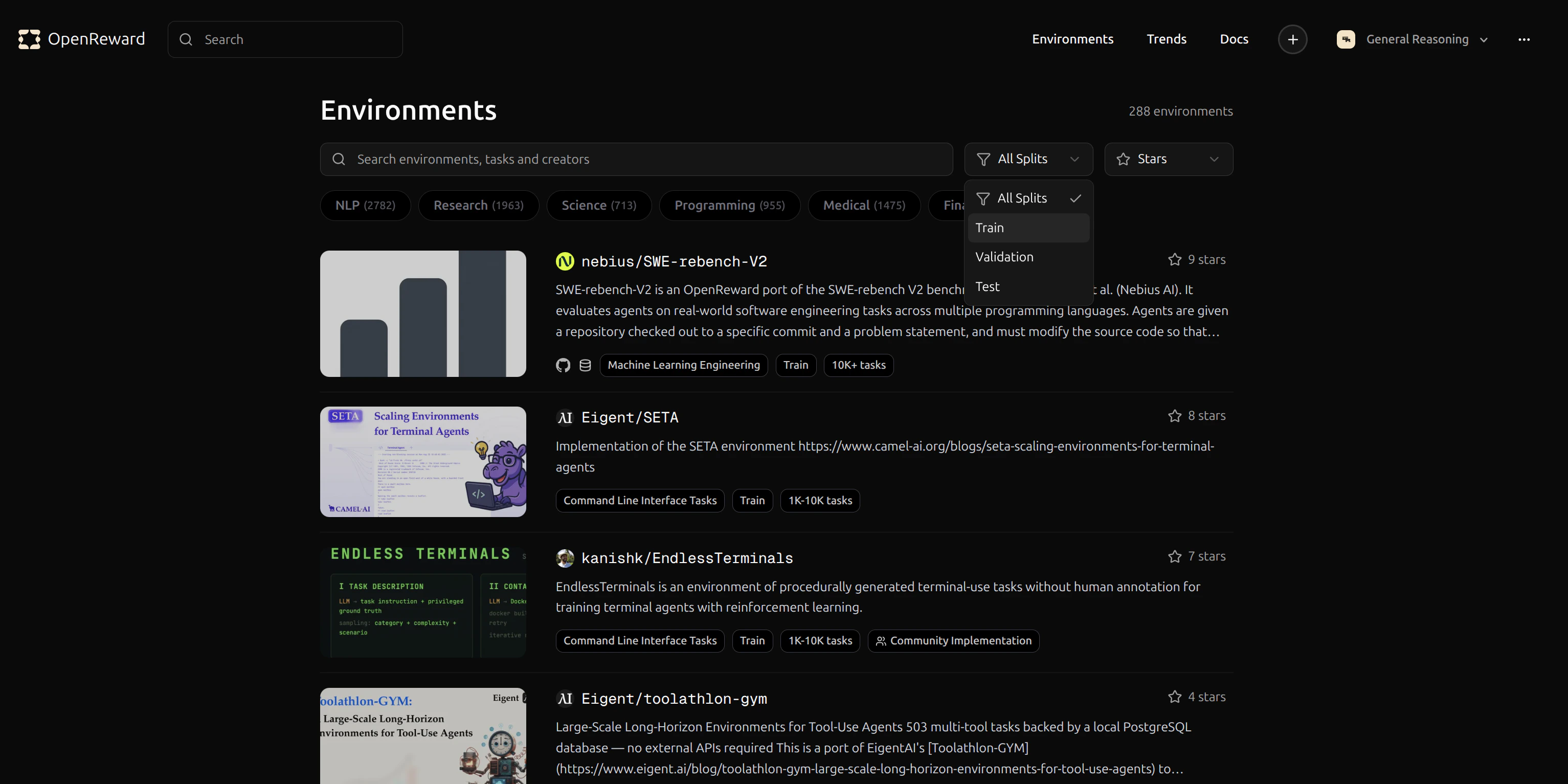 Let's use the `GeneralReasoning/WhoDunIt` environment for this tutorial. This environment challenges agents to solve mystery scenarios.
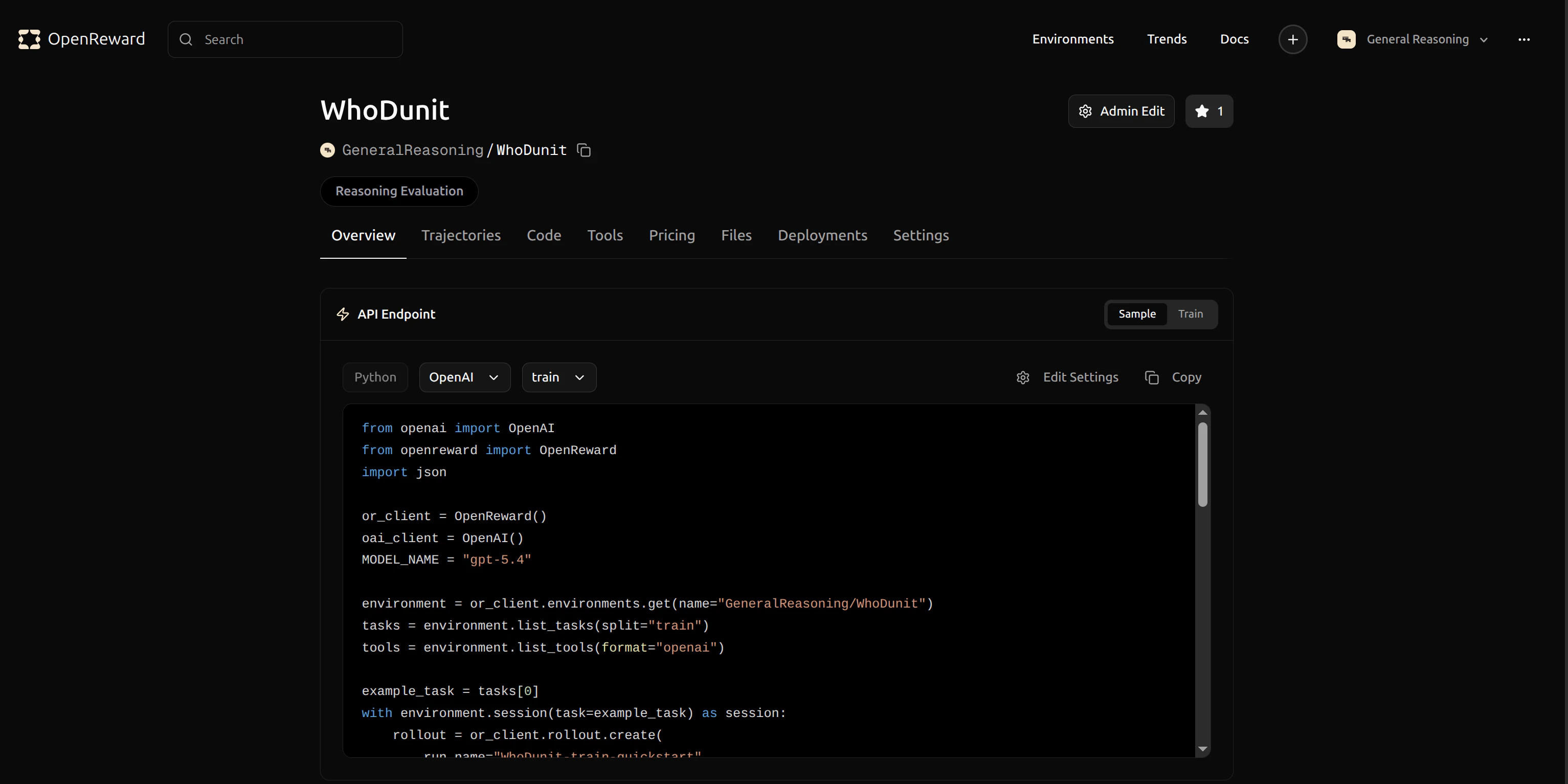 Click the copy button to copy the identifier `GeneralReasoning/WhoDunIt` for use in your config.
## Configuration
Training is configured via two files:
### `train_config.yaml` — Environment & agent settings
Open `train_config.yaml` and update the environment configuration to use `GeneralReasoning/WhoDunIt`:
```yaml theme={null}
environments:
GeneralReasoning/WhoDunIt:
splits:
- train
nonterminal_reward: 0.0
reward_reduction: sum
max_turns: 20
```
You can train on multiple environments simultaneously by adding entries:
```yaml theme={null}
environments:
GeneralReasoning/WhoDunIt:
splits: [train]
reward_reduction: sum
max_turns: 20
MATH/GSM8K:
splits: [train]
reward_reduction: mean
max_turns: 10
```
### `run.sh` — Training hyperparameters
All training, optimizer, cluster, and rollout settings are passed via `run.sh` CLI flags:
| Flag | Default | Description |
| ---------------------- | -------------------- | ---------------------------------------------- |
| `--model` | `Qwen/Qwen3-30B-A3B` | HuggingFace checkpoint |
| `--lr` | `1e-5` | Learning rate |
| `--n-samples` | `16` | Rollouts per prompt (for GRPO) |
| `--rollout-batch-size` | `32` | Prompts per rollout batch |
| `--max-response-len` | `4096` | Max response tokens per generation call |
| `--max-tokens-per-gpu` | `8192` | Token cap per GPU in training (OOM prevention) |
| `--temperature` | `1.0` | Sampling temperature |
| `--train-backend` | `fsdp` | `fsdp` or `megatron` |
## Running Training
Training is a two-step process. First, fetch tasks from OpenReward and write a Miles-compatible JSONL dataset:
```bash theme={null}
python prepare_tasks.py --config train_config.yaml --output tasks.jsonl
```
Then, from the Miles repo root, launch training:
```bash theme={null}
cd /path/to/miles
bash /path/to/openreward-cookbook/training/miles/run.sh
```
Common overrides:
```bash theme={null}
# Different model
bash run.sh --model Qwen/Qwen3-4B
# Adjust GPU allocation
bash run.sh --actor-gpus 4 --rollout-gpus 4 --tp 4
# Tune training
bash run.sh --lr 5e-6 --n-samples 8 --rollout-batch-size 16
# Pass arbitrary Miles args after --
bash run.sh -- --context-parallel-size 2 --use-kl-loss --kl-loss-coef 0.01
```
To resume from a checkpoint:
```bash theme={null}
bash run.sh --load /path/to/checkpoints/
```
Miles auto-resumes from the latest checkpoint in `--load` if one exists.
Training will begin and you'll see output in your terminal:
Click the copy button to copy the identifier `GeneralReasoning/WhoDunIt` for use in your config.
## Configuration
Training is configured via two files:
### `train_config.yaml` — Environment & agent settings
Open `train_config.yaml` and update the environment configuration to use `GeneralReasoning/WhoDunIt`:
```yaml theme={null}
environments:
GeneralReasoning/WhoDunIt:
splits:
- train
nonterminal_reward: 0.0
reward_reduction: sum
max_turns: 20
```
You can train on multiple environments simultaneously by adding entries:
```yaml theme={null}
environments:
GeneralReasoning/WhoDunIt:
splits: [train]
reward_reduction: sum
max_turns: 20
MATH/GSM8K:
splits: [train]
reward_reduction: mean
max_turns: 10
```
### `run.sh` — Training hyperparameters
All training, optimizer, cluster, and rollout settings are passed via `run.sh` CLI flags:
| Flag | Default | Description |
| ---------------------- | -------------------- | ---------------------------------------------- |
| `--model` | `Qwen/Qwen3-30B-A3B` | HuggingFace checkpoint |
| `--lr` | `1e-5` | Learning rate |
| `--n-samples` | `16` | Rollouts per prompt (for GRPO) |
| `--rollout-batch-size` | `32` | Prompts per rollout batch |
| `--max-response-len` | `4096` | Max response tokens per generation call |
| `--max-tokens-per-gpu` | `8192` | Token cap per GPU in training (OOM prevention) |
| `--temperature` | `1.0` | Sampling temperature |
| `--train-backend` | `fsdp` | `fsdp` or `megatron` |
## Running Training
Training is a two-step process. First, fetch tasks from OpenReward and write a Miles-compatible JSONL dataset:
```bash theme={null}
python prepare_tasks.py --config train_config.yaml --output tasks.jsonl
```
Then, from the Miles repo root, launch training:
```bash theme={null}
cd /path/to/miles
bash /path/to/openreward-cookbook/training/miles/run.sh
```
Common overrides:
```bash theme={null}
# Different model
bash run.sh --model Qwen/Qwen3-4B
# Adjust GPU allocation
bash run.sh --actor-gpus 4 --rollout-gpus 4 --tp 4
# Tune training
bash run.sh --lr 5e-6 --n-samples 8 --rollout-batch-size 16
# Pass arbitrary Miles args after --
bash run.sh -- --context-parallel-size 2 --use-kl-loss --kl-loss-coef 0.01
```
To resume from a checkpoint:
```bash theme={null}
bash run.sh --load /path/to/checkpoints/
```
Miles auto-resumes from the latest checkpoint in `--load` if one exists.
Training will begin and you'll see output in your terminal:
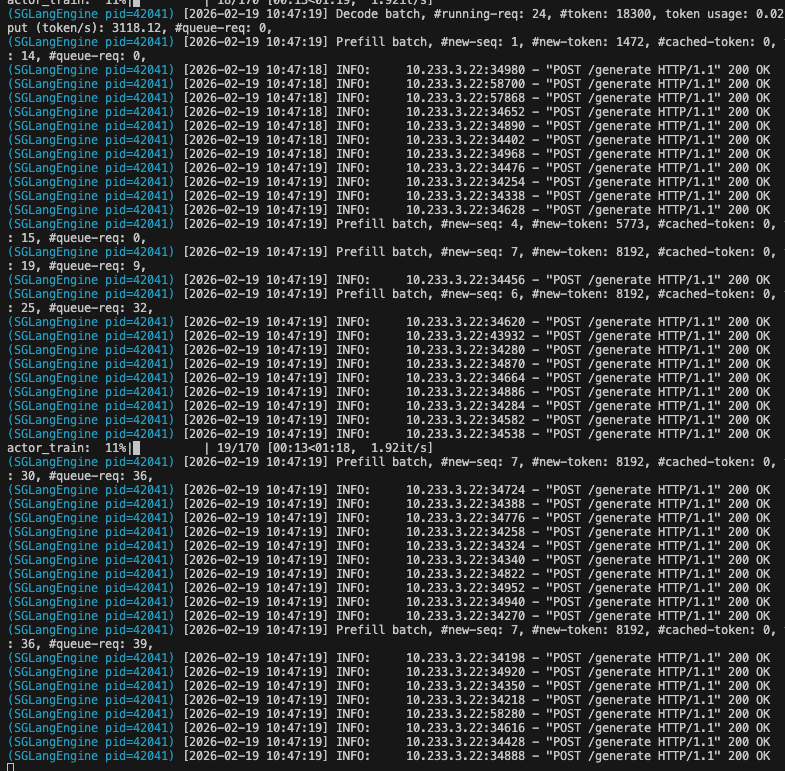 The training process will:
1. Load your model and prepare for distributed training
2. Connect to SGLang for inference
3. Sample multi-turn rollouts from the WhoDunIt environment
4. Compute rewards and update the model using GRPO
5. Log metrics to WandB
6. Save checkpoints periodically
## Monitoring Training
Your training metrics will appear in your WandB dashboard. You can track rewards, response lengths and other key metrics in real-time.
The training process will:
1. Load your model and prepare for distributed training
2. Connect to SGLang for inference
3. Sample multi-turn rollouts from the WhoDunIt environment
4. Compute rewards and update the model using GRPO
5. Log metrics to WandB
6. Save checkpoints periodically
## Monitoring Training
Your training metrics will appear in your WandB dashboard. You can track rewards, response lengths and other key metrics in real-time.
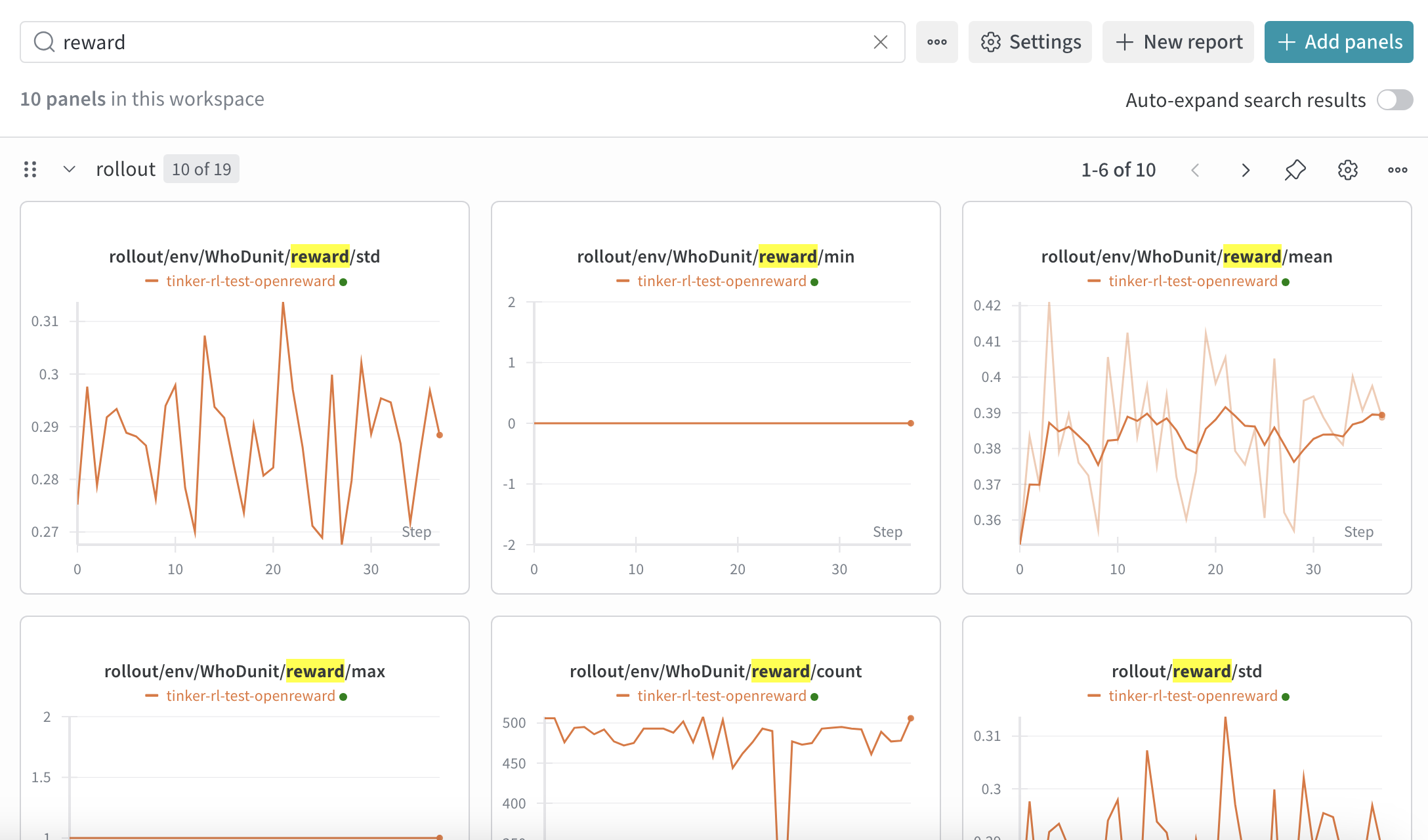 To view your WandB dashboard, go to [https://wandb.ai/](https://wandb.ai/) and navigate to your project. You'll see charts showing:
* Training loss over time
* Average reward per episode
* Success rate on tasks
* Learning rate schedule
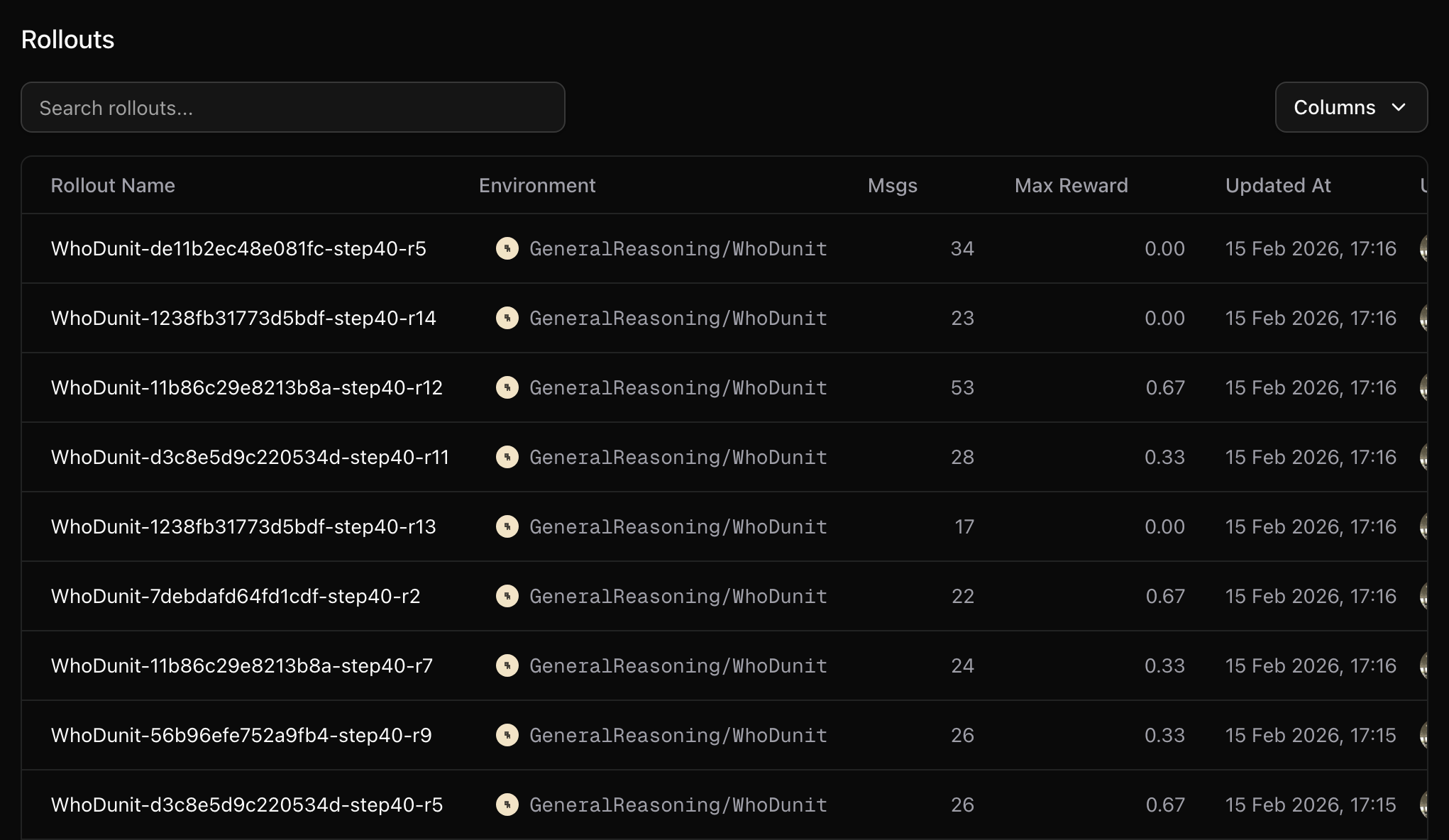
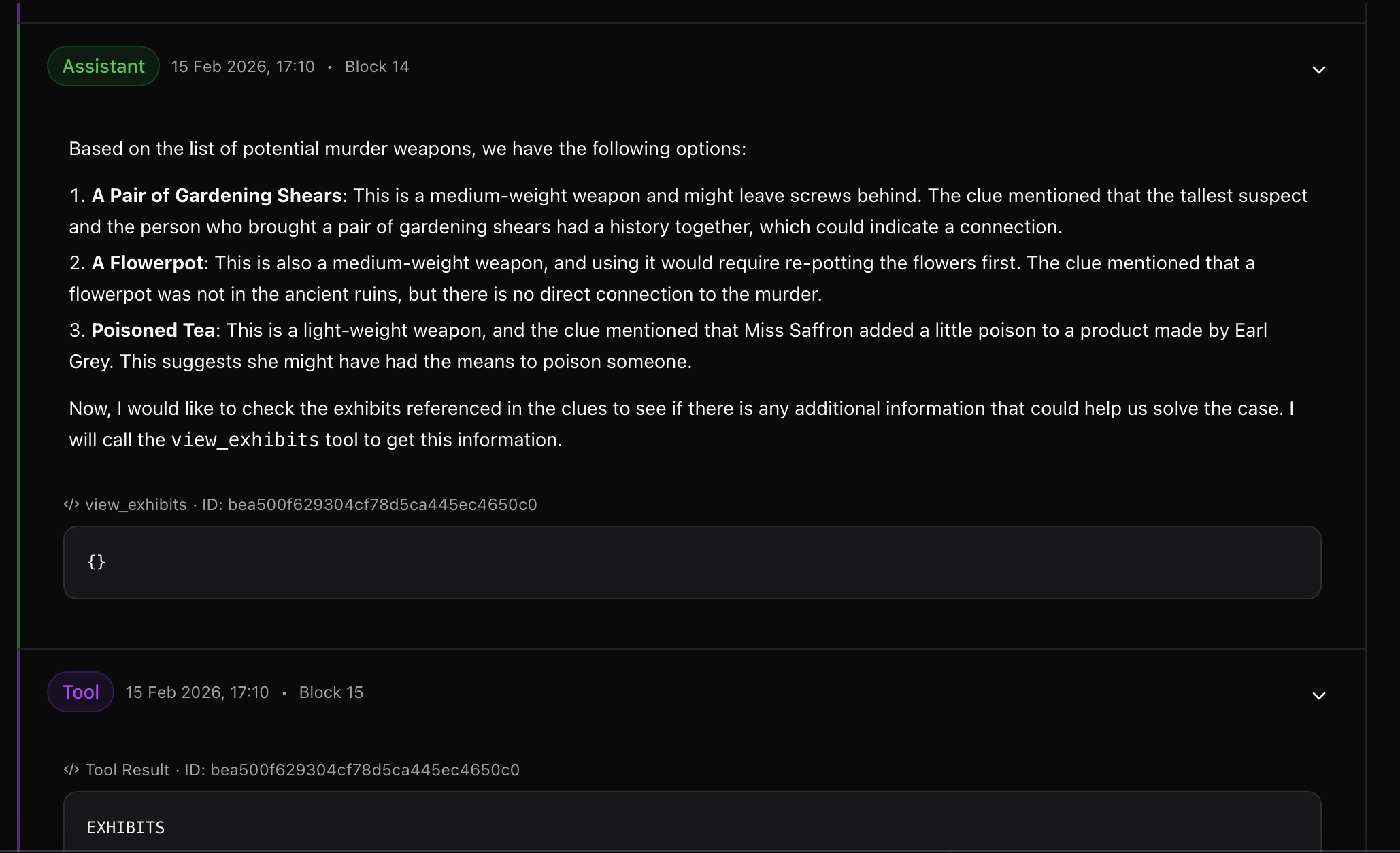
Detailed rollout data is uploaded to your OpenReward runs page:
To view your WandB dashboard, go to [https://wandb.ai/](https://wandb.ai/) and navigate to your project. You'll see charts showing:
* Training loss over time
* Average reward per episode
* Success rate on tasks
* Learning rate schedule
Detailed rollout data is uploaded to your OpenReward runs page:
 ## Additional tips
Some environments require additional secrets, for example environments that use LLM graders or environments that use external search APIs. You can configure these in the `secrets` section of `train_config.yaml`:
```yaml theme={null}
secrets:
openai_api_key: null # null = read from OPENAI_API_KEY env var
```
### Memory considerations
Multi-turn agent rollouts produce long sequences (system prompt + tools + N turns of generation + tool responses). This can cause OOM during training. Key levers:
* **`--max-tokens-per-gpu N`** + **`--use-dynamic-batch-size`**: Caps tokens packed per GPU per training step. Start at `max_response_len` and increase for throughput.
* **`--gradient-checkpointing`**: Trades \~10% speed for significantly less activation memory. Enabled by default in `run.sh`. Recommended for models with large vocabularies (e.g. Qwen3's 152k vocab).
* **`--context-parallel-size N`**: Splits long sequences across N GPUs (requires N actor GPUs).
* **`max_turns` in `train_config.yaml`**: Fewer turns = shorter sequences.
Miles' graceful OOM recovery means that if a rare batch does exceed memory, the job won't crash — the error is propagated and training continues. This is particularly valuable for multi-turn rollouts where sequence length variance is high.
### Known issue: FSDP logging crash
When using a custom generate function with FSDP, you may encounter an `Attribute tokens is not found in packed batch` error. Workaround: wrap the logging call in a try/except in `miles/backends/fsdp_utils/actor.py`:
```python theme={null}
# around line 560, change:
self._log_rollout_data(rollout_id, rollout_data, packed_batches)
# to:
try:
self._log_rollout_data(rollout_id, rollout_data, packed_batches)
except Exception as e:
import logging
logging.getLogger(__name__).warning(f"Failed to log rollout data: {e}")
```
This preserves all training behavior and reward logging - you only lose some per-step rollout metrics in WandB for affected batches.
## Next Steps
Learn how to run evaluations on your trained model
Create custom environments for training
Learn more about Miles' capabilities
## Additional tips
Some environments require additional secrets, for example environments that use LLM graders or environments that use external search APIs. You can configure these in the `secrets` section of `train_config.yaml`:
```yaml theme={null}
secrets:
openai_api_key: null # null = read from OPENAI_API_KEY env var
```
### Memory considerations
Multi-turn agent rollouts produce long sequences (system prompt + tools + N turns of generation + tool responses). This can cause OOM during training. Key levers:
* **`--max-tokens-per-gpu N`** + **`--use-dynamic-batch-size`**: Caps tokens packed per GPU per training step. Start at `max_response_len` and increase for throughput.
* **`--gradient-checkpointing`**: Trades \~10% speed for significantly less activation memory. Enabled by default in `run.sh`. Recommended for models with large vocabularies (e.g. Qwen3's 152k vocab).
* **`--context-parallel-size N`**: Splits long sequences across N GPUs (requires N actor GPUs).
* **`max_turns` in `train_config.yaml`**: Fewer turns = shorter sequences.
Miles' graceful OOM recovery means that if a rare batch does exceed memory, the job won't crash — the error is propagated and training continues. This is particularly valuable for multi-turn rollouts where sequence length variance is high.
### Known issue: FSDP logging crash
When using a custom generate function with FSDP, you may encounter an `Attribute tokens is not found in packed batch` error. Workaround: wrap the logging call in a try/except in `miles/backends/fsdp_utils/actor.py`:
```python theme={null}
# around line 560, change:
self._log_rollout_data(rollout_id, rollout_data, packed_batches)
# to:
try:
self._log_rollout_data(rollout_id, rollout_data, packed_batches)
except Exception as e:
import logging
logging.getLogger(__name__).warning(f"Failed to log rollout data: {e}")
```
This preserves all training behavior and reward logging - you only lose some per-step rollout metrics in WandB for affected batches.
## Next Steps
Learn how to run evaluations on your trained model
Create custom environments for training
Learn more about Miles' capabilities