> ## Documentation Index
> Fetch the complete documentation index at: https://docs.openreward.ai/llms.txt
> Use this file to discover all available pages before exploring further.
# Training with Tinker
> Train language models with reinforcement learning using Tinker and OpenReward environments
**Research Preview.** Training is in a research preview, meaning we are gaining feedback before a fully supported release. This means capacity is limited in this trial period, so large-scale runs may be unreliable at this point in time. Please give us feedback on our [Discord](https://discord.gg/openreward).
## Goals
* Set up distributed RL training with Tinker
* Configure an OpenReward environment for training
* Monitor training progress with WandB
* Train a model on the WhoDunIt environment
## Prerequisites
* A [Tinker](https://tinker-docs.thinkingmachines.ai/) account and API key
* An OpenReward [account](https://openreward.ai/) and [API key](https://openreward.ai/keys)
* A [WandB](https://wandb.ai/) account and API key
* Python 3.11+
## Setup
Tinker is a flexible API for efficiently fine-tuning open source models with LoRA. In this tutorial, we'll use it to train a language model on an OpenReward environment using reinforcement learning.
First, clone the [OpenReward cookbook repository](https://github.com/OpenRewardAI/openreward-cookbook) and navigate to the Tinker training example:
```bash theme={null}
git clone https://github.com/OpenRewardAI/openreward-cookbook.git
cd openreward-cookbook/training/tinker
```
Install the required packages:
```bash theme={null}
pip install -r requirements.txt
```
Or using uv:
```bash theme={null}
uv pip install -r requirements.txt
```
Next, create a `.env` file with your API credentials:
```bash theme={null}
TINKER_API_KEY=your_tinker_key_here
OPENREWARD_API_KEY=your_openreward_key_here
WANDB_API_KEY=your_wandb_key_here
```
## Understanding the Training Pipeline
The training pipeline combines three services:
* **Tinker** provides the distributed compute infrastructure for running training
* **OpenReward** provides the environments and tasks for the agent to learn from
* **WandB** tracks metrics, logs, and training progress
As training runs, Tinker will sample rollouts from your OpenReward environment, compute rewards, and update the model using reinforcement learning. All metrics are logged to WandB for monitoring.
## Selecting an Environment
Browse available environments at [OpenReward](https://openreward.ai/environments):
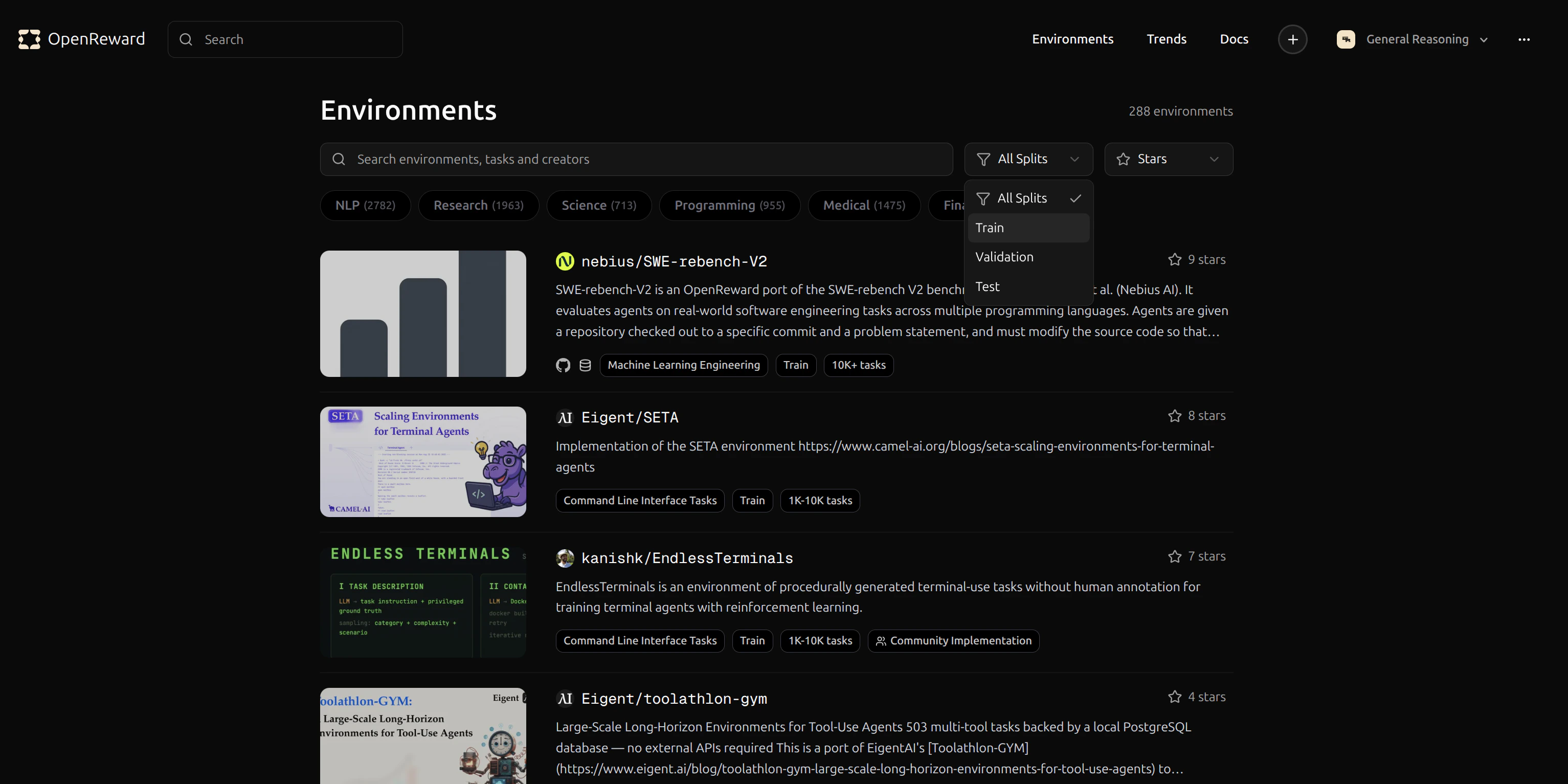 Let's use the `GeneralReasoning/WhoDunIt` environment for this tutorial. This environment challenges agents to solve mystery scenarios.
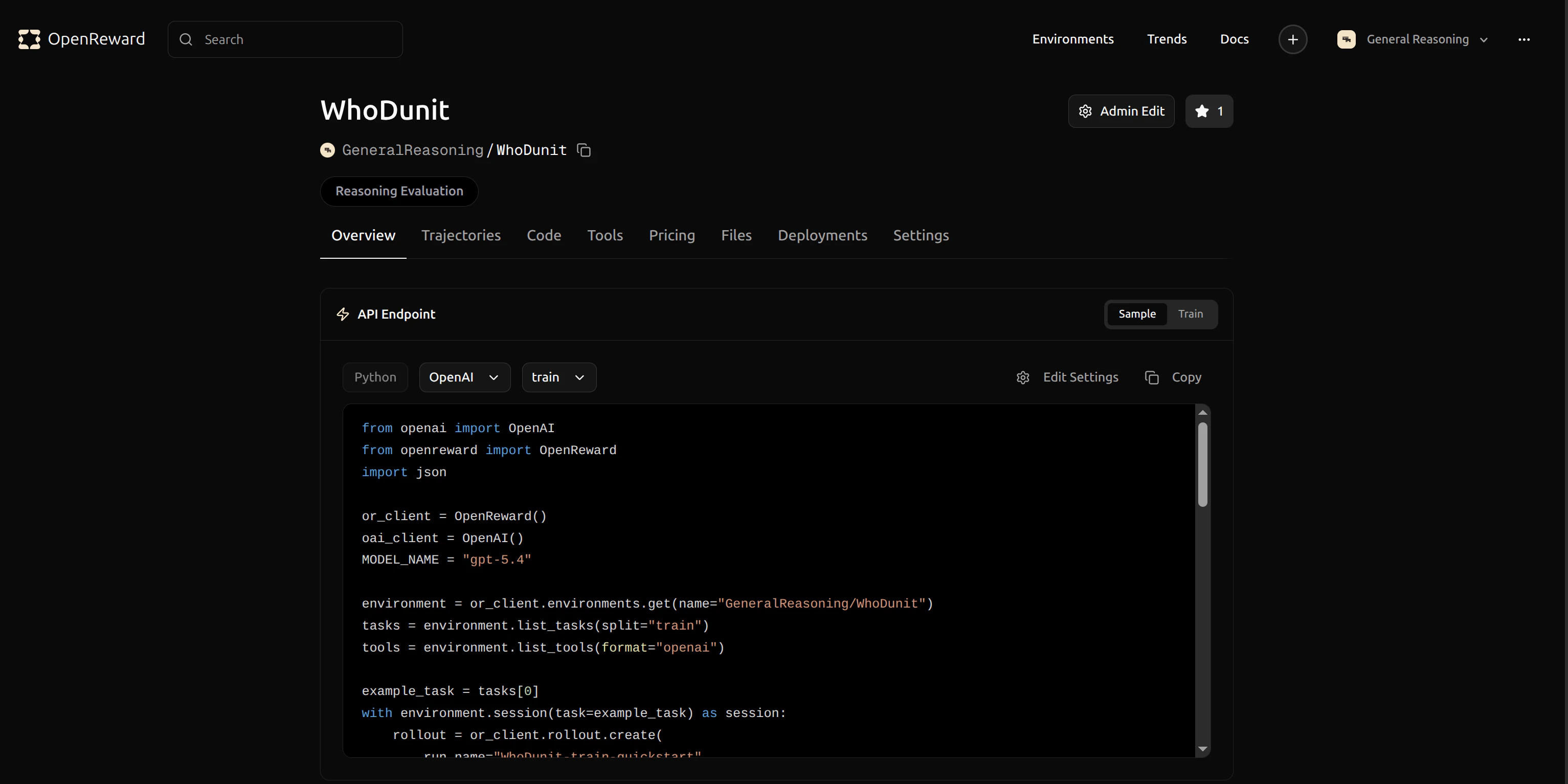 Click the copy button to copy the identifier `GeneralReasoning/WhoDunIt` for use in your config.
## Configuration
Now we'll update the configuration file for the training run. Open `tinker-config.yaml` and update the environment configuration to use `GeneralReasoning/WhoDunIt`:
```yaml theme={null}
...
# Environment Configuration
environments:
GeneralReasoning/WhoDunIt:
splits:
train:
shuffle: true
num_samples: null
num_rollouts: 16
max_failing_rollouts: 2
temperature: 1.0
reward_reduction: "sum"
nonterminal_reward: 0.0
```
There are other settings you can modify here, including:
* `wandb_project_name`: The WandB project where metrics will be logged
* `wandb_run_name`: A name for this specific training run
* `model_name`: The base model to fine-tune (using LoRA)
* `lora_rank`: The rank for LoRA adapters (lower = fewer parameters)
* `batch_size`: Number of samples per training batch
* `learning_rate`: Learning rate for the optimizer
* `save_every`: Save a checkpoint every N batches
* `num_rollouts`: Number of rollouts to collect per environment per batch
* `temperature`: Sampling temperature for the model (1.0 = default)
## Running Training
Now we can start training. The cookbook includes a `main.py` file with the complete training loop.
Run training with:
```bash theme={null}
python main.py --config_path tinker-config.yaml
```
Training will begin and you'll see output in your terminal:
Click the copy button to copy the identifier `GeneralReasoning/WhoDunIt` for use in your config.
## Configuration
Now we'll update the configuration file for the training run. Open `tinker-config.yaml` and update the environment configuration to use `GeneralReasoning/WhoDunIt`:
```yaml theme={null}
...
# Environment Configuration
environments:
GeneralReasoning/WhoDunIt:
splits:
train:
shuffle: true
num_samples: null
num_rollouts: 16
max_failing_rollouts: 2
temperature: 1.0
reward_reduction: "sum"
nonterminal_reward: 0.0
```
There are other settings you can modify here, including:
* `wandb_project_name`: The WandB project where metrics will be logged
* `wandb_run_name`: A name for this specific training run
* `model_name`: The base model to fine-tune (using LoRA)
* `lora_rank`: The rank for LoRA adapters (lower = fewer parameters)
* `batch_size`: Number of samples per training batch
* `learning_rate`: Learning rate for the optimizer
* `save_every`: Save a checkpoint every N batches
* `num_rollouts`: Number of rollouts to collect per environment per batch
* `temperature`: Sampling temperature for the model (1.0 = default)
## Running Training
Now we can start training. The cookbook includes a `main.py` file with the complete training loop.
Run training with:
```bash theme={null}
python main.py --config_path tinker-config.yaml
```
Training will begin and you'll see output in your terminal:
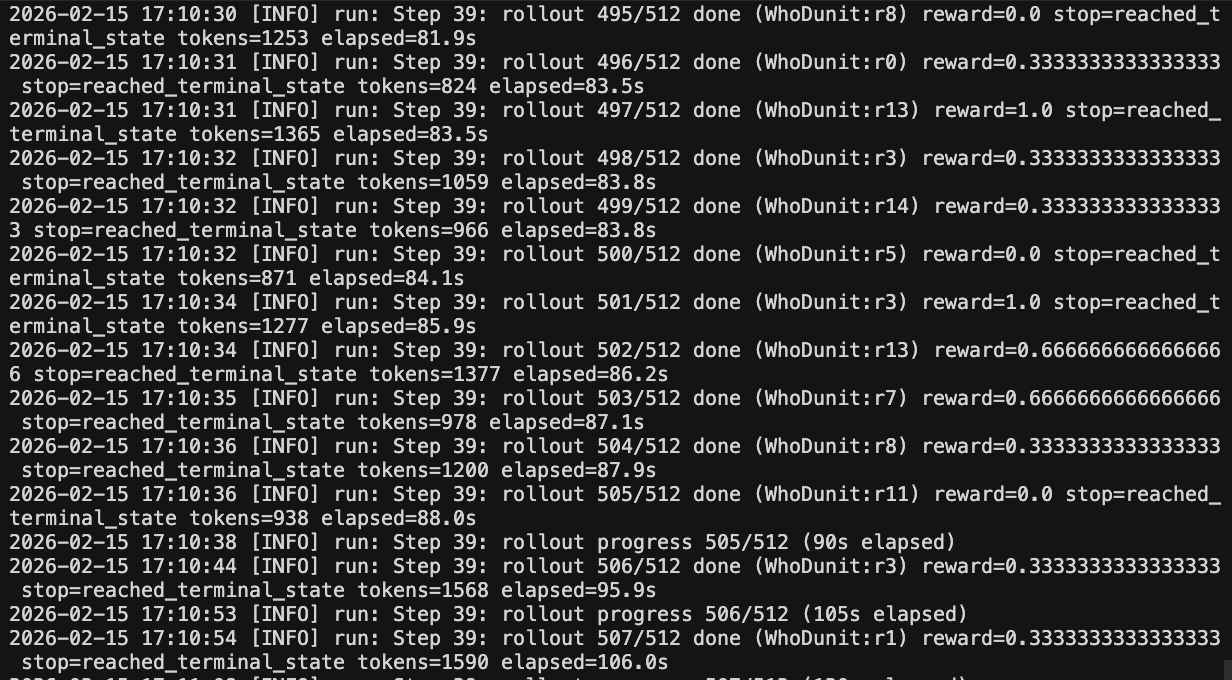 The training process will:
1. Load your model and initialize LoRA adapters
2. Connect to Tinker's infrastructure
3. Sample rollouts from the WhoDunIt environment
4. Compute rewards and update the model
5. Log metrics to WandB
6. Save checkpoints periodically
## Monitoring Training
Your training metrics will appear in your WandB dashboard. You can track rewards, response lengths and other key metrics in real-time.
The training process will:
1. Load your model and initialize LoRA adapters
2. Connect to Tinker's infrastructure
3. Sample rollouts from the WhoDunIt environment
4. Compute rewards and update the model
5. Log metrics to WandB
6. Save checkpoints periodically
## Monitoring Training
Your training metrics will appear in your WandB dashboard. You can track rewards, response lengths and other key metrics in real-time.
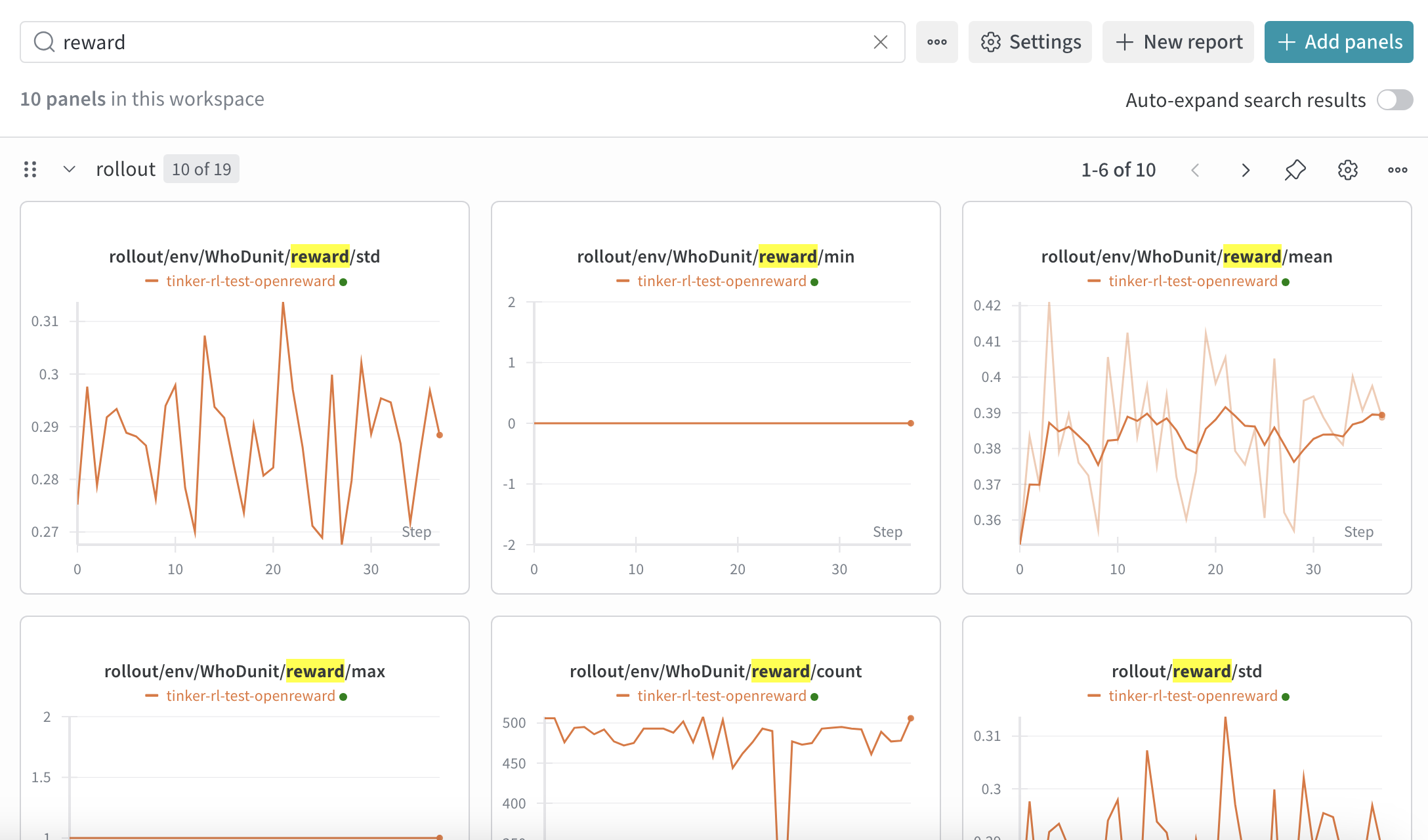 To view your WandB dashboard, go to [https://wandb.ai/](https://wandb.ai/) and navigate to your project. You'll see charts showing:
* Training loss over time
* Average reward per episode
* Success rate on tasks
* Learning rate schedule
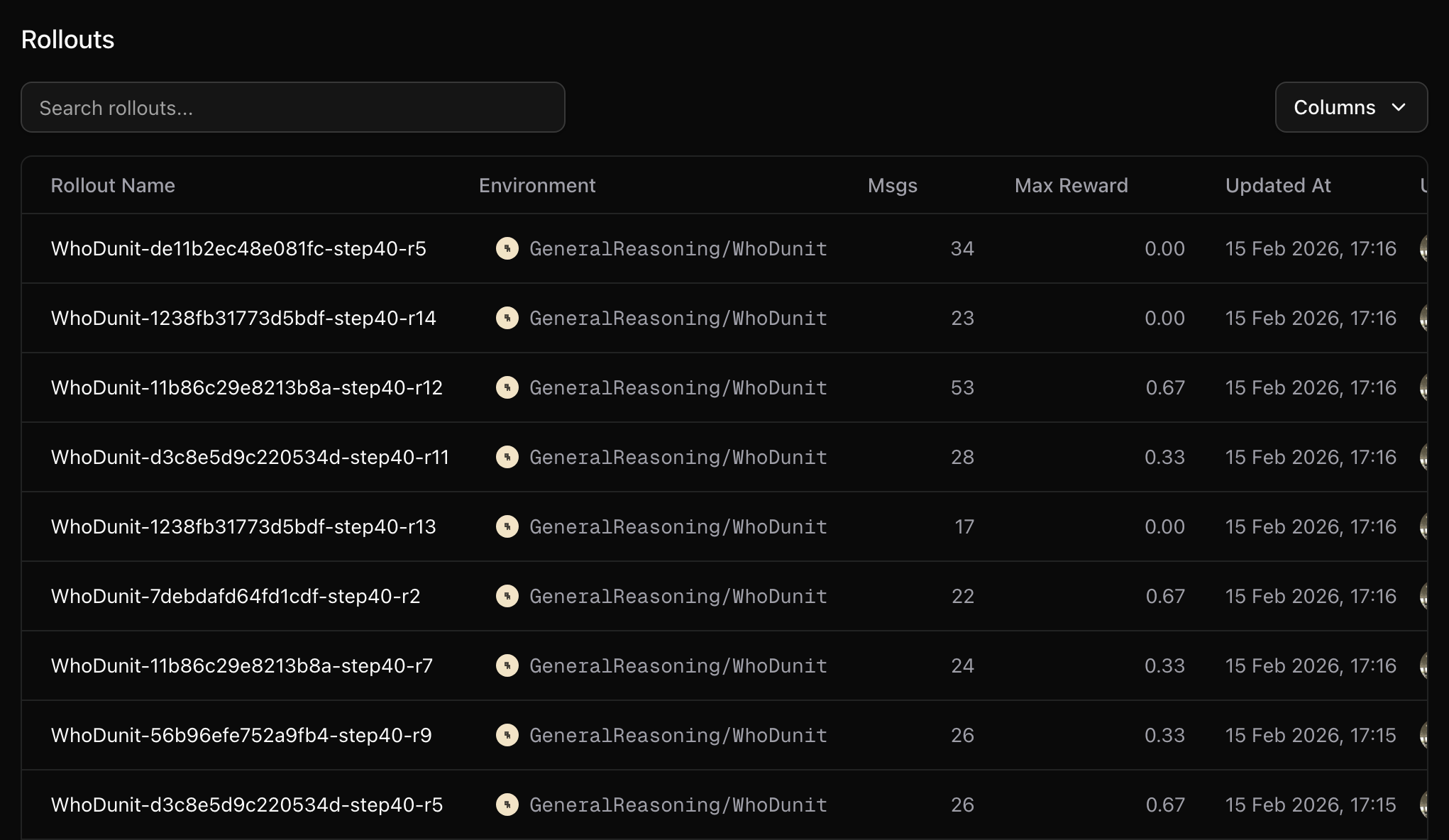
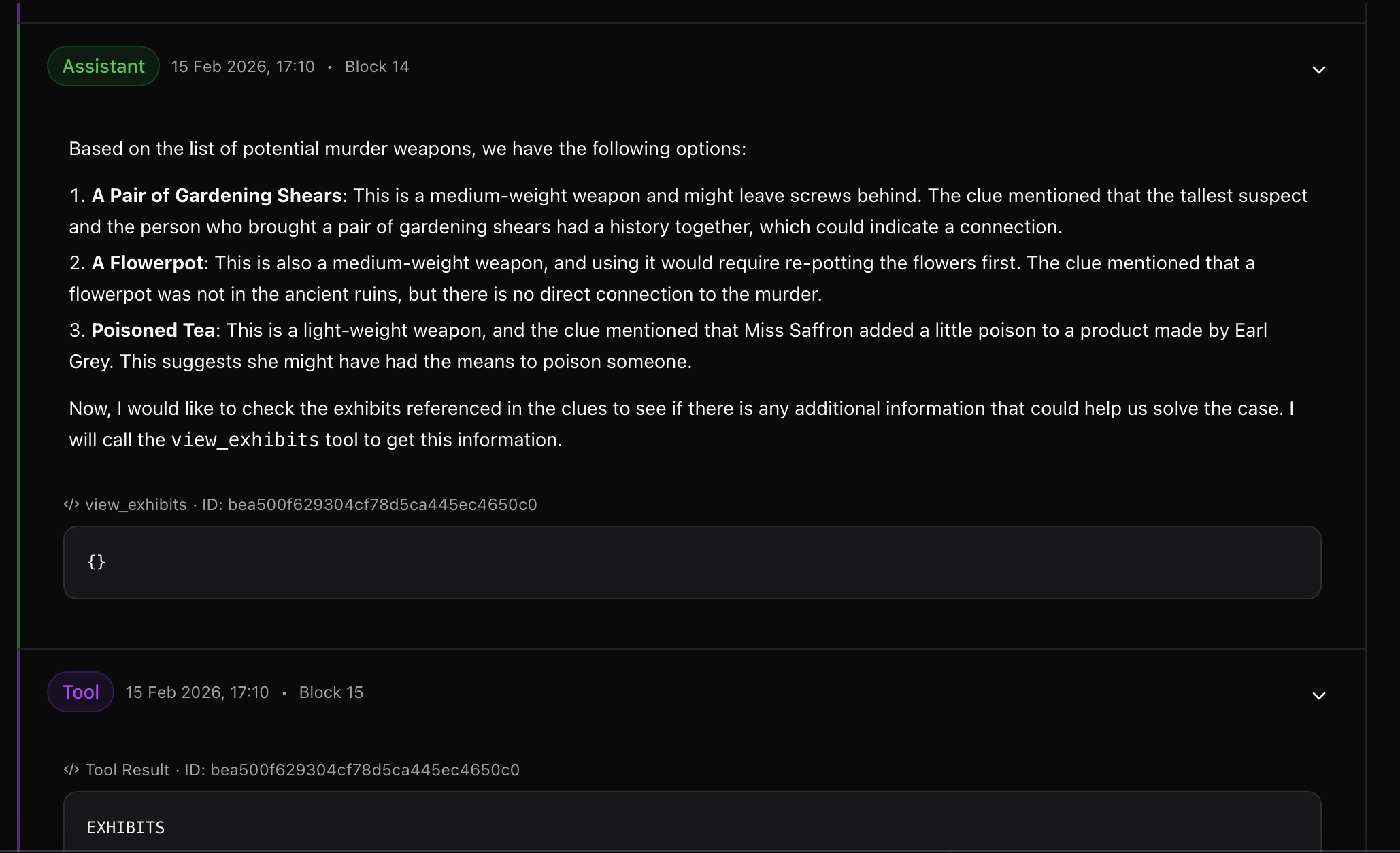
Detailed rollout data is uploaded to your OpenReward runs page:
To view your WandB dashboard, go to [https://wandb.ai/](https://wandb.ai/) and navigate to your project. You'll see charts showing:
* Training loss over time
* Average reward per episode
* Success rate on tasks
* Learning rate schedule
Detailed rollout data is uploaded to your OpenReward runs page:
 Local logs are saved to the path specified in your config (`/tmp/tinker-rl` in our example). These contain detailed information about each training step.
## Additional tips
Some environments require additional secrets, for example environments that use LLM graders or environments that use external search APIs.
You can configure these additional secrets in the tinker-config.yaml:
```bash theme={null}
# secrets:
# openai_api_key: "sk-different-key-for-this-env"
```
## Next Steps
Learn how to run evaluations on your trained model
Create custom environments for training
Learn more about Tinker's capabilities
Local logs are saved to the path specified in your config (`/tmp/tinker-rl` in our example). These contain detailed information about each training step.
## Additional tips
Some environments require additional secrets, for example environments that use LLM graders or environments that use external search APIs.
You can configure these additional secrets in the tinker-config.yaml:
```bash theme={null}
# secrets:
# openai_api_key: "sk-different-key-for-this-env"
```
## Next Steps
Learn how to run evaluations on your trained model
Create custom environments for training
Learn more about Tinker's capabilities