Goals

  • Make a mathematics environment using the OpenReward library.
  • Deploy the environment to OpenReward.
  • Sample from the environment using a model of your choice.

Prerequisites

  • An OpenReward account
  • An OpenReward API key
  • An API key and SDK for your model provider of choice (e.g. OpenAI, Anthropic, Google, OpenRouter)

Setup

Environments in OpenReward are written using ORS. ORS is implemented in the OpenReward Python library, and we will use it for this tutorial. You can install the library using pip or uv:
pip install openreward

Background: GSM8K

GSM8K is a classic language model dataset for math word problems released by OpenAI in 2021. Problems are at the grade school level and answers are integers. An example problem and answer from this dataset is shown below:
Dean’s mother gave him $28 to go to the toy store. Dean bought 6 toy cars and 5 teddy bears. Each toy car cost $2 and each teddy bear cost $1. His mother then feels generous and decides to give him an extra $10. How much money does Dean have left?
Answer: 21
We will learn how to build an ORS environment server for GSM8K in this tutorial.

Understanding ORS servers

To begin we’ll initialise our GSM8K project with a basic template and investigate how ORS servers work. Initialise a project using the OpenReward cli:
orwd init gsm8k --template basic
cd gsm8k && ls gsm8k
The template contains server.py, Dockerfile and requirements.txt. If you look inside server.py, you can see a BasicEnvironment is defined. To run this ORS server, install the requirements and run server.py:
pip install -r requirements.txt
python server.py
INFO:     Started server process [92466]
INFO:     Waiting for application startup.
INFO:     Application startup complete.
INFO:     Uvicorn running on http://0.0.0.0:8080 (Press CTRL+C to quit)
This environment is now running on port 8080. We will leave this running. Now let’s see how we can interact with the BasicEnvironment. In a different terminal, write the following file to test_environment.py:
from openreward import OpenReward

or_client = OpenReward()
environment = or_client.environments.get(name="basicenvironment")
Because the environment class is named BasicEnvironment, we will pass in the name basicenvironment. This is the same API that we use to get production environments on OpenReward. But in this case we have not passed in a namespace (e.g. OpenAI/SimpleQA), so it defaults to using localhost instead. If your server is running in a different location, you can specify a base_url if you want more control. For example:
environment = or_client.environments.get(
    name="basicenvironment", 
    base_url="https://mydomain.com"
)
Now let’s test interacting with this ORS server. Environments have splits, which are lists of tasks for different purposes such as training and evaluation. To see the available splits on the test_environment.py, add the following to test_environment.py and run:
print(environment.list_splits())
python test_environments.py
['train', 'test']
So there are two splits available in this environment. Next, let’s view the tasks that are available for the train split.
print(environment.list_tasks("train"))
python test_environments.py
[Task(server_name='basicenvironment', environment_name='basicenvironment', task_spec={'id': 'train-0', 'problem': 'What is 2+2?', 'solution': 4}, namespace=None)]
We can see that there is a single task. Here the Task object specifies the task specification, which is one of the primitives of ORS. Next, let us see the available tools in the environment. In ORS, actions are tools, and executing tools is the only way to interact with the environment.
print(environment.list_tools())
python test_environments.py
[ToolSpec(name='answer', description='The answer tool can be used to submit your final answer. Note that this finishes the episode.', input_schema={'description': 'Each tool takes in arguments, and these are specified using types.\n\nExamples:\n- An answer tool might have an answer argument\n- A bash tool might have a command argument ', 'properties': {'answer': {'title': 'Answer', 'type': 'string'}}, 'required': ['answer'], 'title': 'AnswerParams', 'type': 'object'})]
There is a single tool called answer. Note this tool specification is the same as a tool specification in MCP, allowing compatibility with existing model function calling capabilities. Now let’s test calling the answer tool. Write the following script test_tool.py:
environment = or_client.environments.get(name="basicenvironment")
tasks = environment.list_tasks(split="train")
example_task = tasks[0]

with environment.session(task=example_task) as session:
    prompt = session.get_prompt()
    tool_result = session.call_tool("answer", {"answer": "4"})
    print(prompt)
    print(tool_result)
[TextBlock(text='What is 2+2?', detail=None, type='text')]
ToolOutput(blocks=[TextBlock(text='Correct!', detail=None, type='text')], metadata=None, reward=1.0, finished=True)
As we can see, prompt contains a TextBlock with the prompt text for this task. After calling the tool on the session with call_tool - with the tool name answer and tool arguments {"answer": "4"} - we obtain a ToolOutput. The ToolOutput also contains a list of blocks, in this case a TextBlock showing us some text for the agent (Correct!). We also obtain a reward of 1.0, as well as an finished state of True, denoting that the episode has finished. This shows us the basics of how we can interface with an ORS environment server. In the next section we will build a GSM8K environment.

Building the GSM8K environment

First we’ll download the two parquet files from the GSM8K HuggingFace repository and put them in the root of our project:
test-00000-of-00001.parquet
train-00000-of-00001.parquet
A single row of data from the train set looks as follows:
{'question': 'Natalia sold clips to 48 of her friends in April, and then she sold half as many clips in May. How many clips did Natalia sell altogether in April and May?', 'answer': 'Natalia sold 48/2 = <<48/2=24>>24 clips in May.\nNatalia sold 48+24 = <<48+24=72>>72 clips altogether in April and May.\n#### 72', 'id': '0'}
Next we’ll write a new server file. This will involve:
  • Loading the tasks from the parquet files
  • Verifying the answer is correct - we’ll use the MathVerify library for this.
from math_verify import parse, verify
import pandas as pd
from pydantic import BaseModel

from openreward.environments import Environment, JSONObject, Server, TextBlock, ToolOutput, tool

class GSM8KTaskSpec(BaseModel):
    id: str
    question: str
    answer: str


class AnswerParams(BaseModel):
    answer: str


train_tasks = pd.read_parquet("train-00000-of-00001.parquet").to_dict(orient="records")
test_tasks = pd.read_parquet("test-00000-of-00001.parquet").to_dict(orient="records")

for i, task in enumerate(train_tasks):
    task['id'] = str(i)
for i, task in enumerate(test_tasks):
    task['id'] = str(i)


class GSM8K(Environment):
    """
    A GSM8K environment
    """
    def __init__(self, task_spec: JSONObject = {}):
        super().__init__(task_spec)
        self.config = GSM8KTaskSpec.model_validate(task_spec)

    @classmethod
    def list_tasks(cls, split: str) -> list[JSONObject]:
        if split == "train":
            return train_tasks
        elif split == "test":
            return test_tasks
        raise ValueError(f"Unknown split: {split}")

    @classmethod
    def list_splits(cls) -> list[str]:
        return ["train", "test"]

    def get_prompt(self) -> str:
        return [TextBlock(type="text", text=self.config.question)]

    @tool
    def answer(self, params: AnswerParams) -> ToolOutput:
        """
        The answer tool can be used to submit your final answer. Note that this finishes the episode.
        """
        gold = parse(self.config.answer)
        answer = parse(params.answer)
        is_correct = verify(gold, answer)

        if is_correct:
            agent_message = "Correct!"
            reward = 1.0
        else:
            agent_message = "Wrong!"
            reward = 0.0

        return ToolOutput(
            blocks=[TextBlock(type="text", text=agent_message)],
            reward=reward,
            finished=True
        )

if __name__ == "__main__":
    Server([GSM8K]).run()
Now we can test this environment. First run the server as before:
python server.py
Now choose a model provider of your choice and sample from the environment:
1

Set your API key

Make sure you have an API key for OpenAI, and set the environment variable:
export OPENAI_API_KEY='your-openai-api-key-here'
2

Create your code

Save this as sample_agent.py:
from openai import OpenAI
from openreward import OpenReward
import json

or_client = OpenReward()
oai_client = OpenAI()
MODEL_NAME = "gpt-5"

environment = or_client.environments.get(name="gsm8k")
tasks = environment.get_tasks(split="train")
tools = environment.get_tools(format="openai")

example_task = tasks[0]

with environment.session(task=example_task) as session:
    prompt = session.get_prompt()
    input_list = [{"role": "user", "content": prompt[0].text}]
    finished = False
    print(input_list)

    while not finished:
        response = oai_client.responses.create(
            model=MODEL_NAME,
            tools=tools,
            input=input_list
        )
        print(response.output)

        input_list += response.output

        for item in response.output:
            if item.type == "function_call":
                tool_result = session.call_tool(item.name, json.loads(str(item.arguments)))

                reward = tool_result.reward
                finished = tool_result.finished

                input_list.append({
                    "type": "function_call_output",
                    "call_id": item.call_id,
                    "output": json.dumps({
                        "result": tool_result.blocks[0].text
                    })
                })

                print(input_list[-1])

                if tool_result.finished:
                    finished = True
                    break
3

Run your code

  python sample_agent.py
Example output:
[{'role': 'user', 'content': 'Natalia sold clips to 48 of her friends in April, and then she sold half as many clips in May. How many clips did Natalia sell altogether in April and May?'}]
[ResponseReasoningItem(id='rs_000dde94c785f76800693413cbb66c81928b57cca2b5488c2d', summary=[], type='reasoning', content=None, encrypted_content=None, status=None), ResponseOutputMessage(id='msg_000dde94c785f76800693413ce541881928b37ef5a6ec49cf9', content=[ResponseOutputText(annotations=[], text='72', type='output_text', logprobs=[])], role='assistant', status='completed', type='message')]
[ResponseFunctionToolCall(arguments='{"answer":"72"}', call_id='call_Eaw188yiAYpNCgQXduR1x0lR', name='answer', type='function_call', id='fc_000dde94c785f76800693413cf1be08192995f531548dffa4d', status='completed')]
{'type': 'function_call_output', 'call_id': 'call_Eaw188yiAYpNCgQXduR1x0lR', 'output': '{"result": "Correct!"}'}
Nice one! We have a working ORS environment. Now we’ll see how how we can host the environment on OpenReward. This is not necessary - you can host your environment wherever you like. However, the benefits of using OpenReward are:
  • Infrastructure sorted: you do not have to set up infrastructure and compute to host the environment yourself. We take care of this for you and you are only charged based on your actual usage of the environment.
  • Discovery supercharged: your environment can be discovered and used by other users of the platform, helping drive adoption and attention to your work.
We’ll see how to do this next.

Host on OpenReward

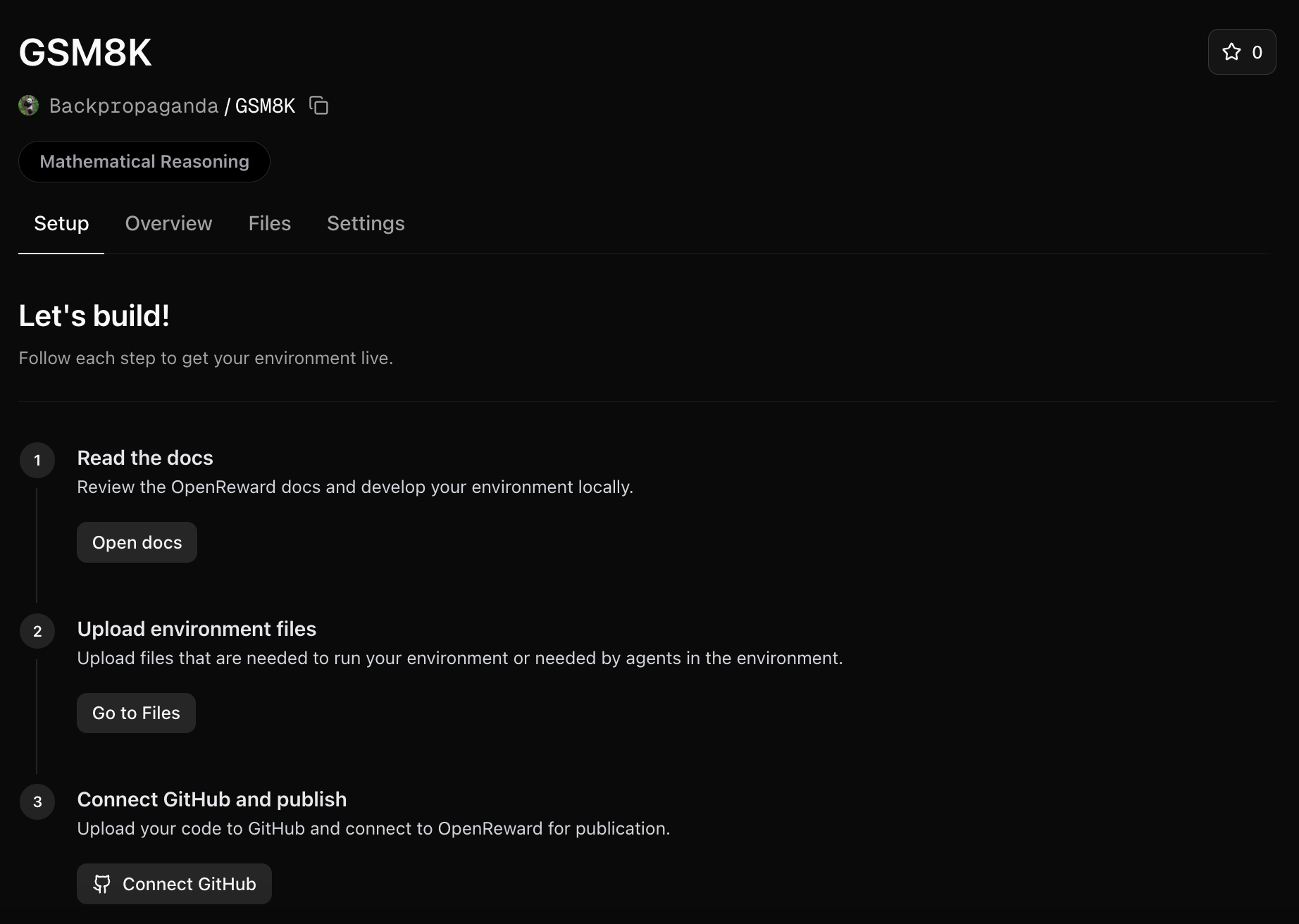
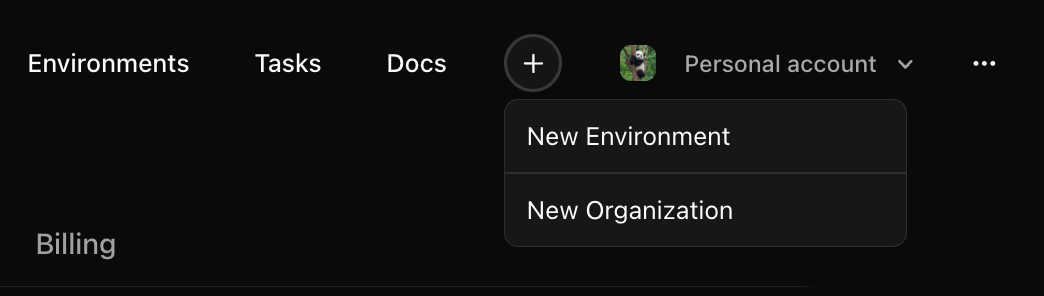
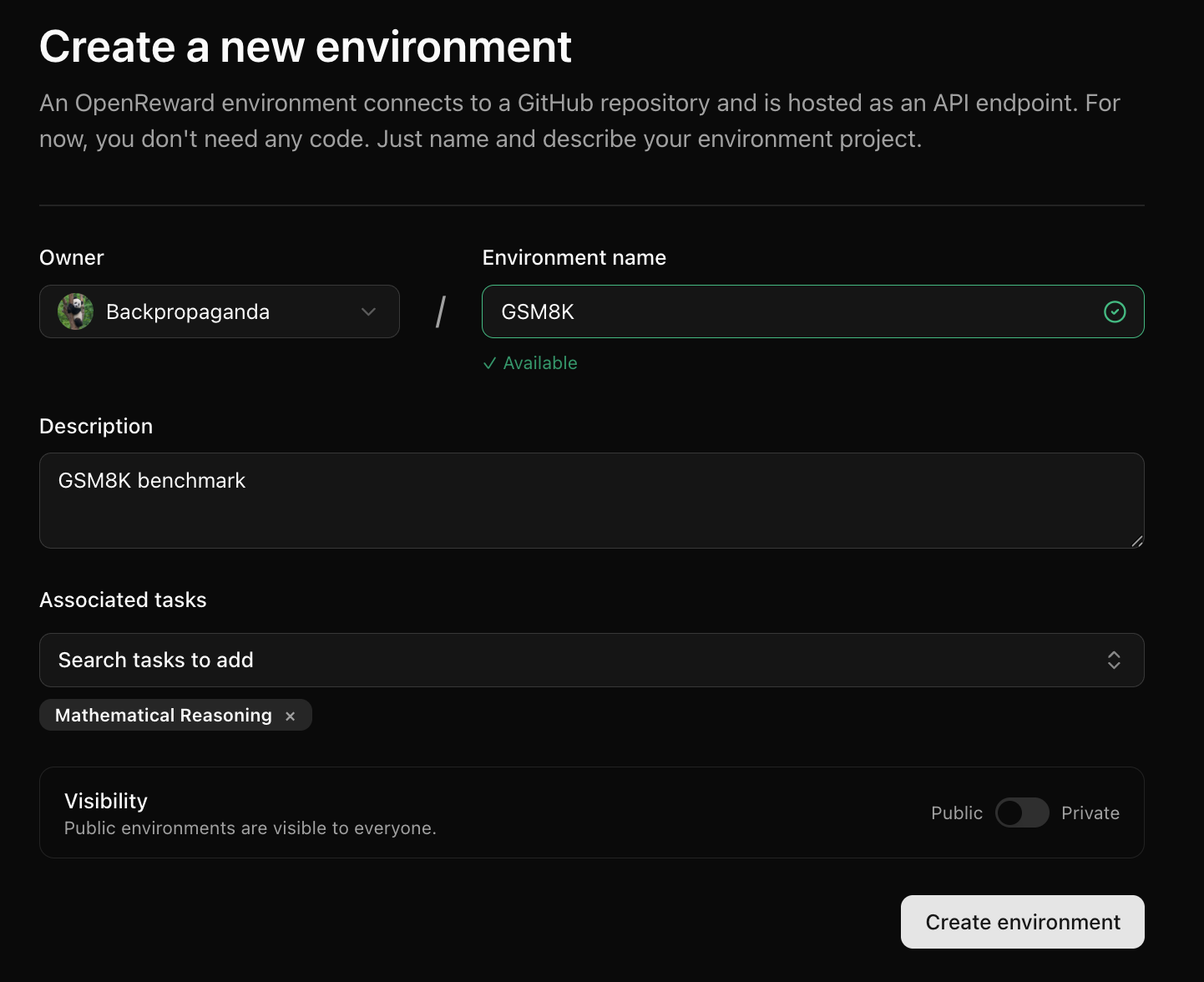
Log into OpenReward, press the plus icon in the navbar and press New Environment: New environment button Next, fill in information about the environment and press Create Environment: New environment button You will be redirected to your new environment and will see setup instructions: Environment Setup
Upload environment assets

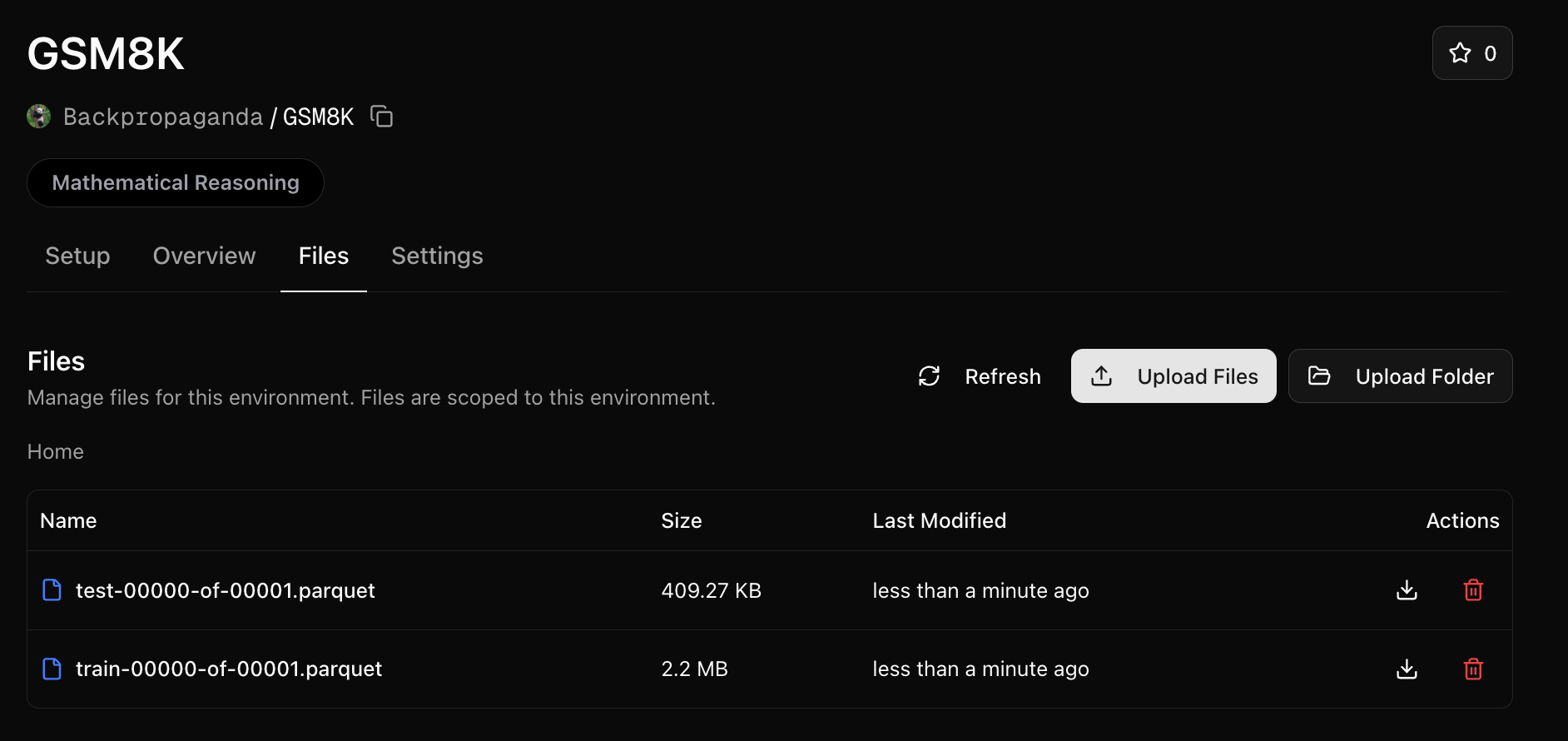
We will need a way to use the train and test parquet files in our environment. We’ll upload these to the environment assets: Click on the Assets tab and press Upload Environment Assets: [IMAGE HERE] You can then upload these two files: Which will give you two URLs you can use for developing your environment locally:
https://openreward.ai/your-username/GSM8K/assets/test-00000-of-00001.parquet
https://openreward.ai/your-username/GSM8K/assets/train-00000-of-00001.parquet
We won’t need to upload any other files, so we can now focus on writing the code for our Environment.

Write the Dockerfile and requirements

We now need to amend the Dockerfile to download the parquet files:
FROM python:3.11-slim

WORKDIR /app

# Copy requirements and install dependencies
COPY requirements.txt .
RUN pip install --no-cache-dir -r requirements.txt

# Copy application code
COPY server.py .

# Expose port
EXPOSE 8000

CMD curl -o test-00000-of-00001.parquet https://openreward.ai/your-username/GSM8K/assets/test-00000-of-00001.parquet
CMD curl -o train-00000-of-00001.parquet https://openreward.ai/your-username/GSM8K/assets/train-00000-of-00001.parquet

# Start the server
CMD ["uvicorn", "server:app", "--host", "0.0.0.0", "--port", "8000"]
We’ll also update the requirements.txt:
fastapi>=0.115.12
openreward
pandas
uvicorn>=0.34.3
math-verify[antlr4_13_2]

Push to GitHub and connect

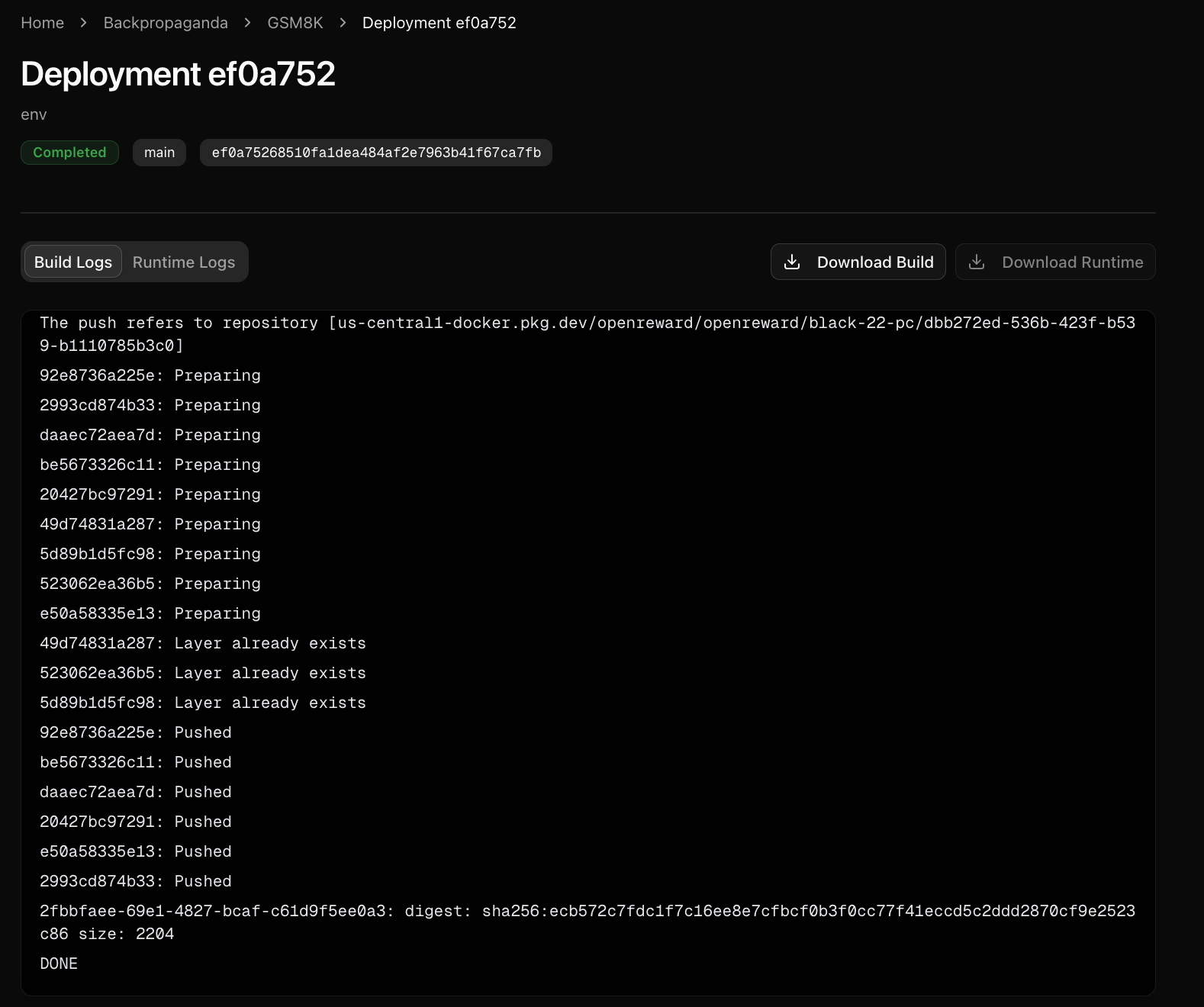
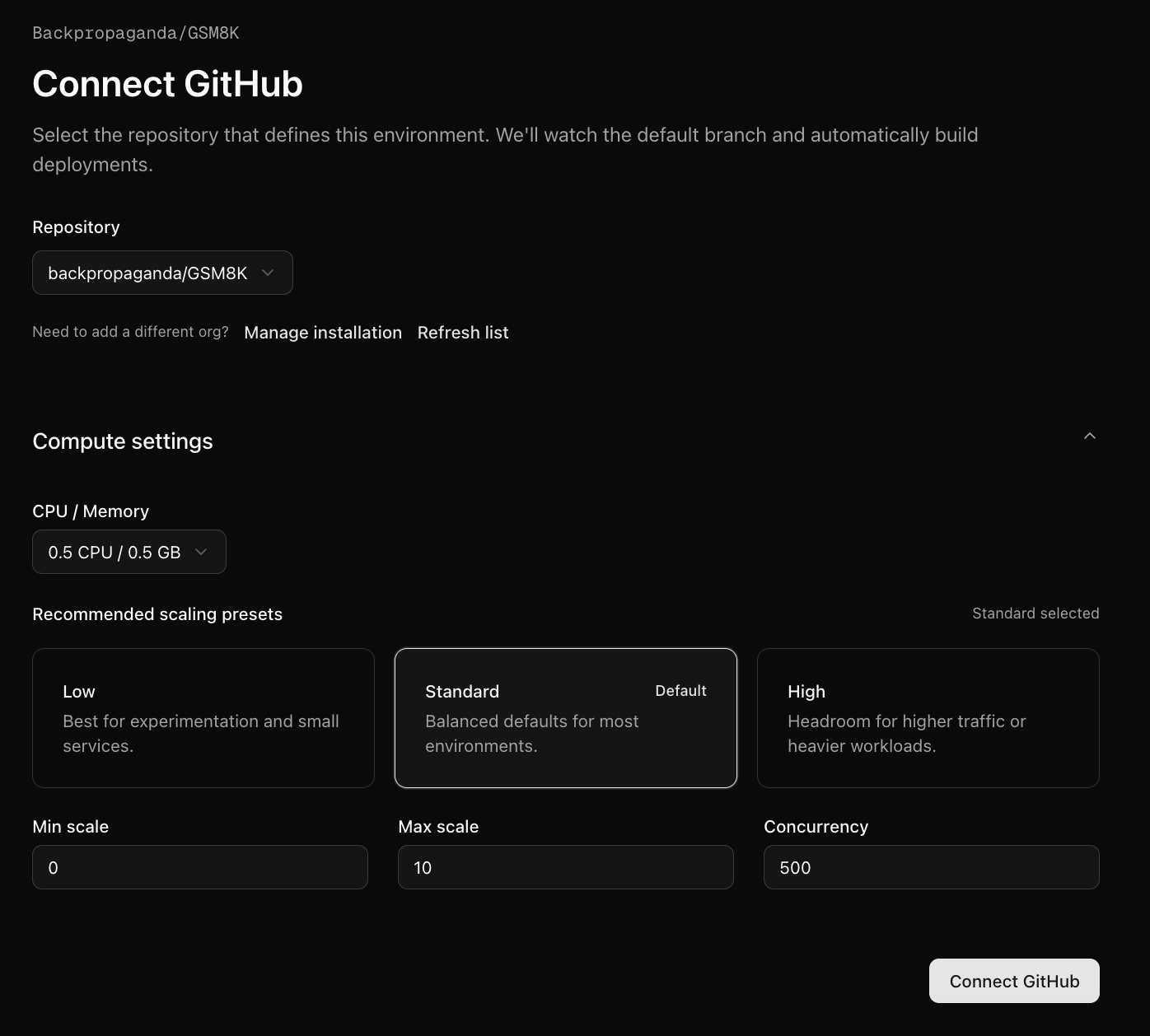
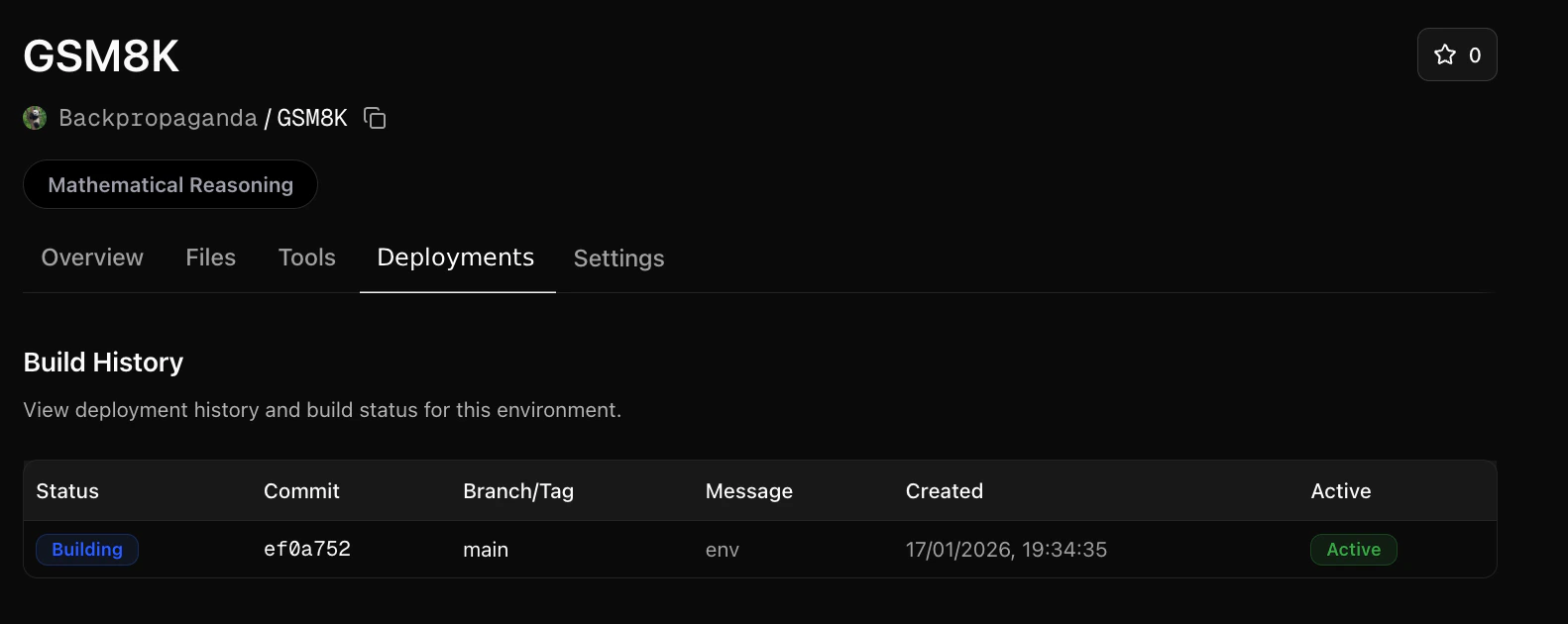
Next, push your environment to a GitHub repository. Once ready, go to your OpenReward environment and connect the repository: [IMAGE HERE] You will be given a choice for how much compute you would like to allocate for it. We’ll use a low compute configuration since this is a simple environment. Press build and your environment will be hosted!
Sample from your environment

Now your environment is hosted on OpenReward, we can sample from it:
1

Set your API keys

Make sure you have API keys for OpenReward and OpenAI, and set these as environment variables:
export OPENAI_API_KEY='your-openai-api-key-here'
export OPENREWARD_API_KEY='your-openreward-api-key-here'
2

Create your code

Save this as quickstart.py:
  from openai import OpenAI
  from openreward import OpenReward
  import json

  or_client = OpenReward()
  oai_client = OpenAI()
  MODEL_NAME = "gpt-5"

  environment = or_client.environments.get(name="yourusername/gsm8k")
  tasks = environment.get_tasks(split="train")
  tools = environment.get_tools(format="openai")

  example_task = tasks[0]

  with environment.session(task=example_task) as session:
      prompt = session.get_prompt()
      input_list = [{"role": "user", "content": prompt[0].text}]
      finished = False
      print(input_list)

      while not finished:
          response = oai_client.responses.create(
              model=MODEL_NAME,
              tools=tools,
              input=input_list
          )
          print(response.output)

          input_list += response.output

          for item in response.output:
              if item.type == "function_call":
                  tool_result = session.call_tool(item.name, json.loads(str(item.arguments)))

                  reward = tool_result.reward
                  finished = tool_result.finished

                  input_list.append({
                      "type": "function_call_output",
                      "call_id": item.call_id,
                      "output": json.dumps({
                          "result": tool_result.blocks[0].text
                      })
                  })

                  print(input_list[-1])

                  if tool_result.finished:
                      finished = True
                      break
3

Run your code

  python quickstart.py
Example output:
[{'role': 'user', 'content': 'Natalia sold clips to 48 of her friends in April, and then she sold half as many clips in May. How many clips did Natalia sell altogether in April and May?'}]
[ResponseReasoningItem(id='rs_000dde94c785f76800693413cbb66c81928b57cca2b5488c2d', summary=[], type='reasoning', content=None, encrypted_content=None, status=None), ResponseOutputMessage(id='msg_000dde94c785f76800693413ce541881928b37ef5a6ec49cf9', content=[ResponseOutputText(annotations=[], text='72', type='output_text', logprobs=[])], role='assistant', status='completed', type='message')]
[ResponseFunctionToolCall(arguments='{"answer":"72"}', call_id='call_Eaw188yiAYpNCgQXduR1x0lR', name='answer', type='function_call', id='fc_000dde94c785f76800693413cf1be08192995f531548dffa4d', status='completed')]
{'type': 'function_call_output', 'call_id': 'call_Eaw188yiAYpNCgQXduR1x0lR', 'output': '{"result": "Correct!"}'}

Next Steps