Overview
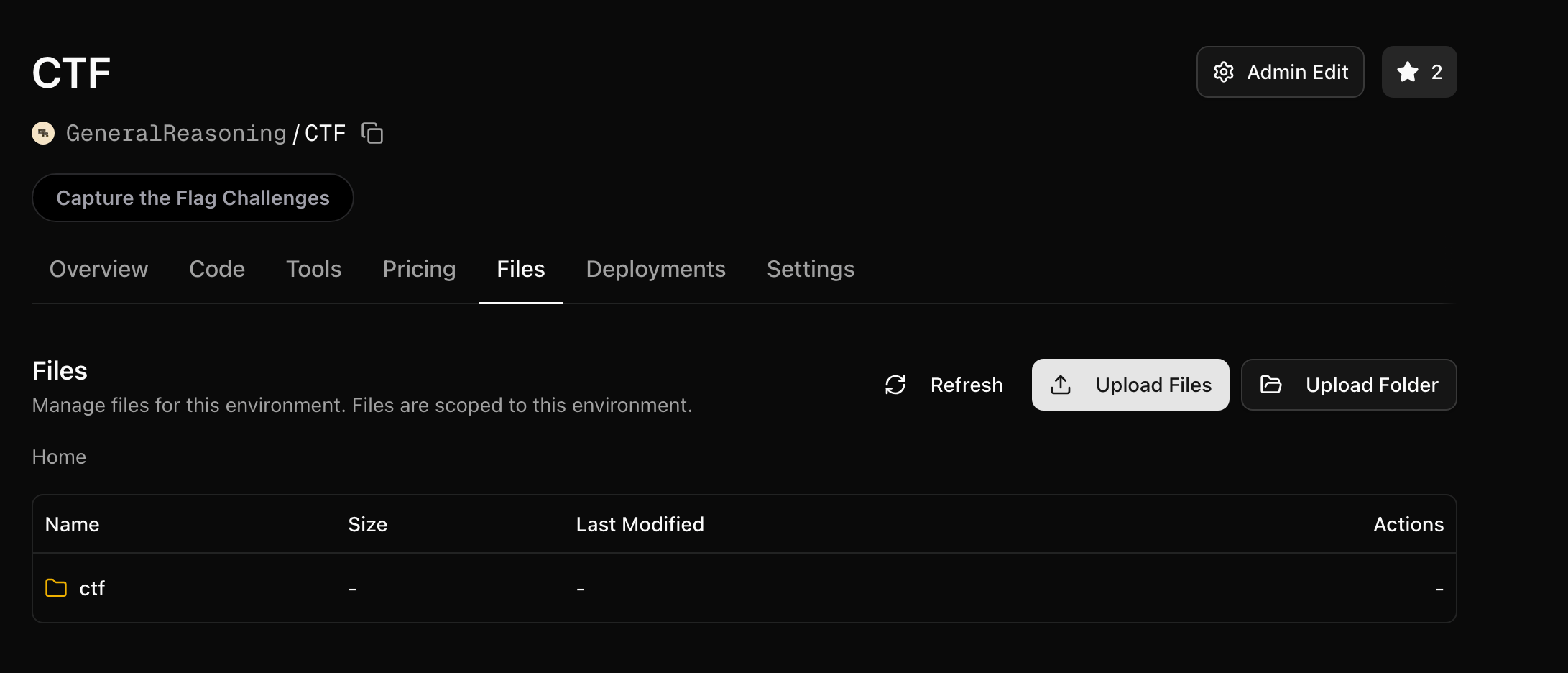
You can upload files to any environment via the Files tab:
These files are stored at /orwd_data/ on the environment server. Your environment server code always has full access to everything in /orwd_data/.
Sandboxes, on the other hand, only see what you explicitly mount. This separation is critical: it lets your server hold ground truth data (answers, test cases, rubrics) that the agent in the sandbox never sees.
Two Purposes for Your Files
Your uploaded files serve two distinct roles:
| Environment Server | Sandbox (Agent) |
|---|
| Access | Full access to all of /orwd_data/ | Only sees what you mount via bucket_config |
| Purpose | Ground truth, answers, test data, rubrics | Input data the agent needs to work with |
| Examples | answers.json, test_cases.csv, rubrics.json | transactions.csv, input.txt, dataset.csv |
Server-Side Data
The environment server always has access to everything in /orwd_data/. This is where you store data that only your server should see — ground truth answers, expected outputs, rubrics, and evaluation data.
import json
from pathlib import Path
# The server reads ground truth directly from /orwd_data/
with open("/orwd_data/answers.json") as f:
answers = json.load(f)
# Use ground truth in your reward function
def compute_reward(self, agent_answer: str) -> float:
expected = answers[self.task_id]
return 1.0 if agent_answer == expected else 0.0
The agent never has access to these files — they exist only on the server.
Local vs Production Paths
/orwd_data/ only exists when your environment is deployed to OpenReward. When developing locally, your files live alongside your code. Use a simple check to handle both cases:
import os
from pathlib import Path
if os.path.exists("/orwd_data"):
DATA_PATH = Path("/orwd_data")
else:
DATA_PATH = Path(__file__).parent # local development — files next to your code
# Now use DATA_PATH everywhere
with open(DATA_PATH / "answers.json") as f:
answers = json.load(f)
This way you can test locally with the same data files in your project directory, and everything switches to /orwd_data/ automatically when deployed.
Sandbox Data
To give the agent access to files, you mount a directory from /orwd_data/ into the sandbox using SandboxBucketConfig. The key parameter is only_dir, which restricts the mount to a specific subdirectory.
from openreward import SandboxSettings, SandboxBucketConfig
self.sandbox_settings = SandboxSettings(
environment="YourUsername/MyEnv",
image="python:3.11-slim",
machine_size="0.5:1",
bucket_config=SandboxBucketConfig(
mount_path="/workspace", # Where files appear in the sandbox
read_only=True, # Agent can't modify the files
only_dir="agent", # Mount ONLY the agent/ subdirectory
)
)
With this configuration, the sandbox at /workspace will contain only the files from /orwd_data/agent/ — nothing else.
Organising Your Files
If you mount the entire bucket without using only_dir, the agent can see all of your files — including ground truth answers, test cases, and rubrics. Try to avoid this!
Structure your uploaded files with separate directories for server data and agent data:
/orwd_data/
├── ground_truth/ ← Server only (never mounted)
│ ├── answers.json
│ ├── rubrics.json
│ └── test_cases.csv
└── agent/ ← Mounted to sandbox
├── transactions.csv
└── instructions.txt
Then mount only the agent/ directory:
bucket_config=SandboxBucketConfig(
mount_path="/workspace",
read_only=True,
only_dir="agent", # Only this subdirectory is visible to the agent
)
Use only_dir to mount a specific subdirectory rather than the entire bucket. This ensures a clear boundary between what the server knows and what the agent sees.
Full Example
Here is a complete environment that keeps ground truth on the server and mounts only input data to the sandbox:
File structure in /orwd_data/:
/orwd_data/
├── answers.json ← ground truth (server only)
└── agent/ ← mounted to sandbox
└── transactions.csv
Environment code:
import json
import os
from typing import List
from pathlib import Path
from openreward import AsyncOpenReward, SandboxBucketConfig, SandboxSettings
from openreward.environments import Environment, JSONObject, TextBlock, ToolOutput, tool
from pydantic import BaseModel
# Production vs local data path
if os.path.exists("/orwd_data"):
DATA_PATH = Path("/orwd_data")
else:
DATA_PATH = Path(__file__).parent
class BashParams(BaseModel, extra="forbid"):
command: str
class SubmitAnswerParams(BaseModel, extra="forbid"):
answer: str
class MyEnvironment(Environment):
def __init__(self, task_spec: JSONObject, secrets: dict[str, str] = {}) -> None:
super().__init__(task_spec, secrets=secrets)
# Server reads ground truth — agent never sees this
with open(DATA_PATH / "answers.json") as f:
all_answers = json.load(f)
self.expected_answer = all_answers[self.task_id]
# Sandbox mounts ONLY the agent/ directory
self.sandbox_settings = SandboxSettings(
environment="YourUsername/MyEnv",
image="python:3.11-slim",
machine_size="0.5:1",
bucket_config=SandboxBucketConfig(
mount_path="/workspace",
read_only=True,
only_dir="agent", # Only agent/ is visible
),
)
or_client = AsyncOpenReward(api_key=secrets.get("api_key", ""))
self.sandbox = or_client.sandbox(self.sandbox_settings)
async def setup(self) -> None:
await self.sandbox.start()
async def get_prompt(self) -> List[TextBlock]:
return [TextBlock(
text=f"Task {self.task_id}: Analyze the data in /workspace and submit your answer."
)]
@tool("bash", description="Run a bash command in the sandbox")
async def bash(self, params: BashParams) -> ToolOutput:
output, exit_code = await self.sandbox.run(params.command)
return ToolOutput(output=output)
@tool("submit_answer", description="Submit your final answer")
async def submit_answer(self, params: SubmitAnswerParams) -> ToolOutput:
is_correct = params.answer.strip() == str(self.expected_answer).strip()
return ToolOutput(
output="Correct!" if is_correct else "Incorrect.",
reward=1.0 if is_correct else 0.0,
finished=True,
)
async def cleanup(self) -> None:
await self.sandbox.stop()
Common Mistake: Mounting Everything
Do not do this if your bucket contains ground truth data.
# DANGEROUS: mounts ALL of /orwd_data/ to the sandbox
bucket_config=SandboxBucketConfig(
mount_path="/workspace",
read_only=True,
# no only_dir — the agent sees everything!
)
With this configuration the agent can read your answers, rubrics, and test cases directly. Always use only_dir to restrict access to a specific subdirectory.
Next Steps